"Digital sales center" is one of those terms that means whatever the vendor selling it does. To a rendering studio it means a custom-built 3D application. To a tour company it means panoramas on a landing page. To a platform it means a living system with inventory and leads. If you're the one choosing, the label won't help you — the evaluation will.
This guide is written for the three teams that usually run that evaluation: developers, marketing agencies, and property or asset managers. The categories and checklist apply to all three; the weighting differs, and we'll get to that.
The four vendor categories
1. Tour capture and hosting tools. Built for photographing completed spaces and publishing walkthroughs. Excellent for show units and resale; structurally unable to cover an off-plan project or connect to inventory. If your "sales center" is one finished space, this category is enough — and the cheapest.
2. Rendering studios selling interactive applications. Visualization houses that package their CGI into a clickable application, often beautiful, usually bespoke. The risk isn't quality — it's the operating model: every change after delivery (price display, new phase, sold-out zone) goes back through the studio. Evaluate the change process as hard as the demo.
3. Game-engine experiences. Cinematic free-roam environments for flagship budgets. Impressive in a gallery; expensive to build, slow to change, and rarely in the buyer's pocket. Justifiable for mega-projects with the traffic to match — the cost breakdown covers when.
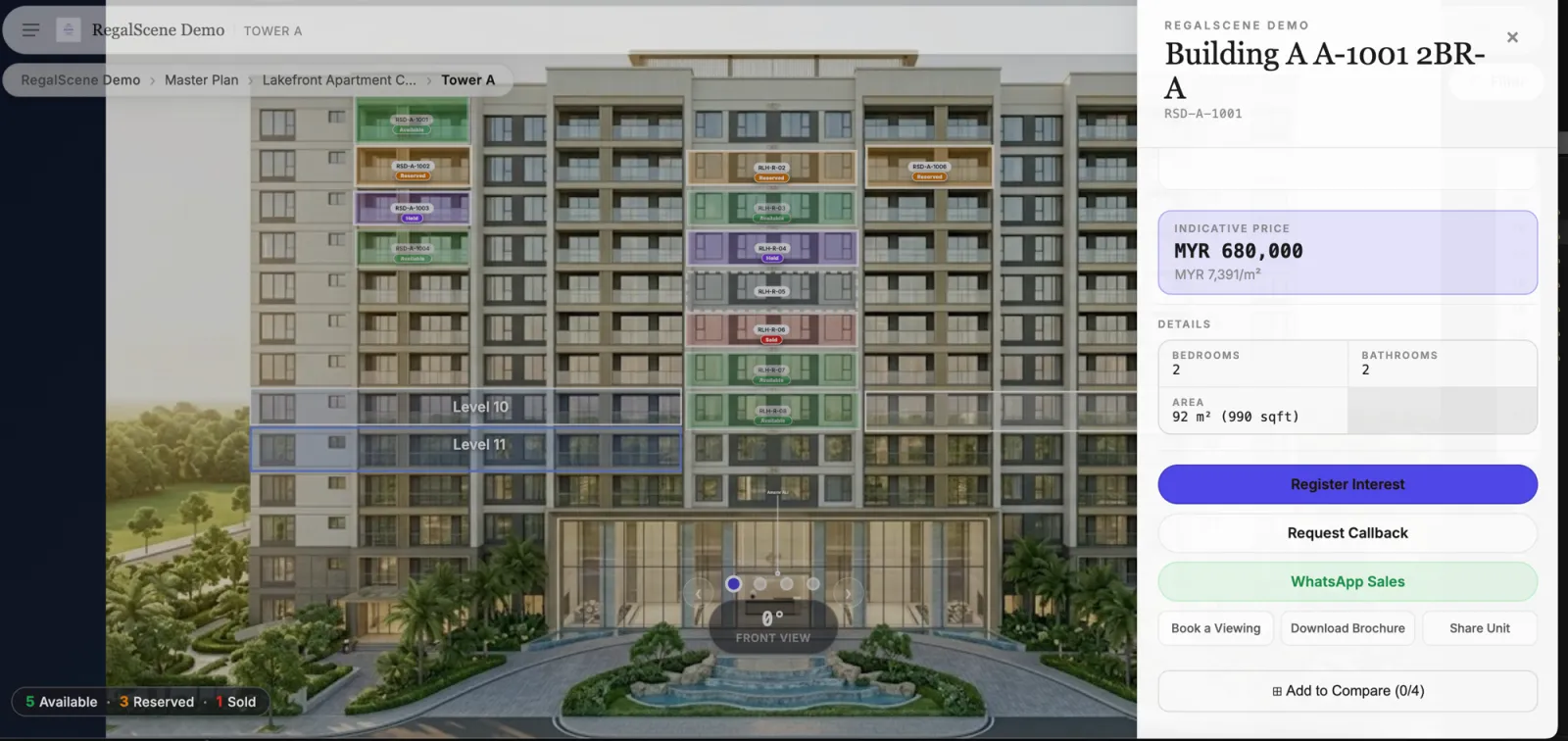
4. Platform software. Multi-project SaaS that assembles the experience from your existing renders, runs current inventory underneath it, and captures enquiries with context. Updates are admin tasks; the subscription replaces change orders. RegalScene is in this category. The honest trade-off: you're configuring a product, not commissioning bespoke software — if your project genuinely needs one-off custom mechanics, a platform will feel constraining. For the masterplan-specific version of this comparison, with examples, see interactive masterplan software compared.
The universal checklist
Whatever the category, these ten questions expose the difference between a sales system and a demo reel — the full feature checklist goes deeper on each:
- Does it navigate the whole project — master plan → building → floor → unit — or one space at a time?
- Is unit availability live from real inventory, or baked into the artwork?
- Do enquiries arrive with context — which unit, which floor, what price was visible?
- Does it run in a mobile browser, inside WhatsApp and WeChat webviews, with nothing to install?
- Can your team update and publish without a vendor change order?
- Does it embed into your existing website and campaign pages?
- Can you control price visibility — exact, range, or on request — per project?
- Does it support QR and share links at every level, not just the homepage?
- What do the analytics show — page views, or which zones, floors, and unit types buyers explore?
- What happens after sell-out — retirement, or a working system for resale and leasing?
Weighting by who you are
Developers should weight questions 1, 2, 5, and 10 heaviest. Your project changes for years — phases release, prices move, inventory turns. The cost of a tool is dominated by the cost of changing it, and the value compounds after launch if the experience keeps working through handover.
Marketing agencies should weight 4, 6, 8, and how far the branding goes (confirm what each provider means by white-label). You're delivering campaigns across multiple clients: per-project custom builds don't scale, and attribution matters — an enquiry should tell you which campaign, QR placement, or channel produced it. A multi-project platform turns interactive experiences from a one-off deliverable into a repeatable service line.
Property and asset managers should weight 2, 9, and 10 — plus one question the others rarely ask: does the inventory model handle non-residential assets? Retail units, offices, warehouses, and land plots don't fit a bedrooms-and-bathrooms template. Look for configurable asset types, or you'll be describing a warehouse in apartment fields.
The two tests that settle it
If the evaluation drags, two requests cut through every category's sales narrative:
"Show me what a buyer sees the moment after a unit sells." Live systems answer in minutes. Baked-in systems change the subject.
"Walk me through last month's changes on a real project." You're not buying the launch-day version — you're buying month six. A vendor who can show routine updates happening in an admin console is selling a system; one who quotes a services rate is selling a project.
Related reading:
- What Is a Digital Sales Center? Virtual Sales Galleries for Real Estate Explained
- Real Estate Sales App vs Web-Based Sales Platform: Which Reaches More Buyers?
- Interactive Master Plan Features: A Developer's Checklist
- How Much Does a Virtual Sales Gallery Cost?
RegalScene is digital sales center software in the platform category: master plan to unit navigation, current availability, contextual leads, and self-service publishing — for developers, agencies, and property managers. See the platform or book a demo.