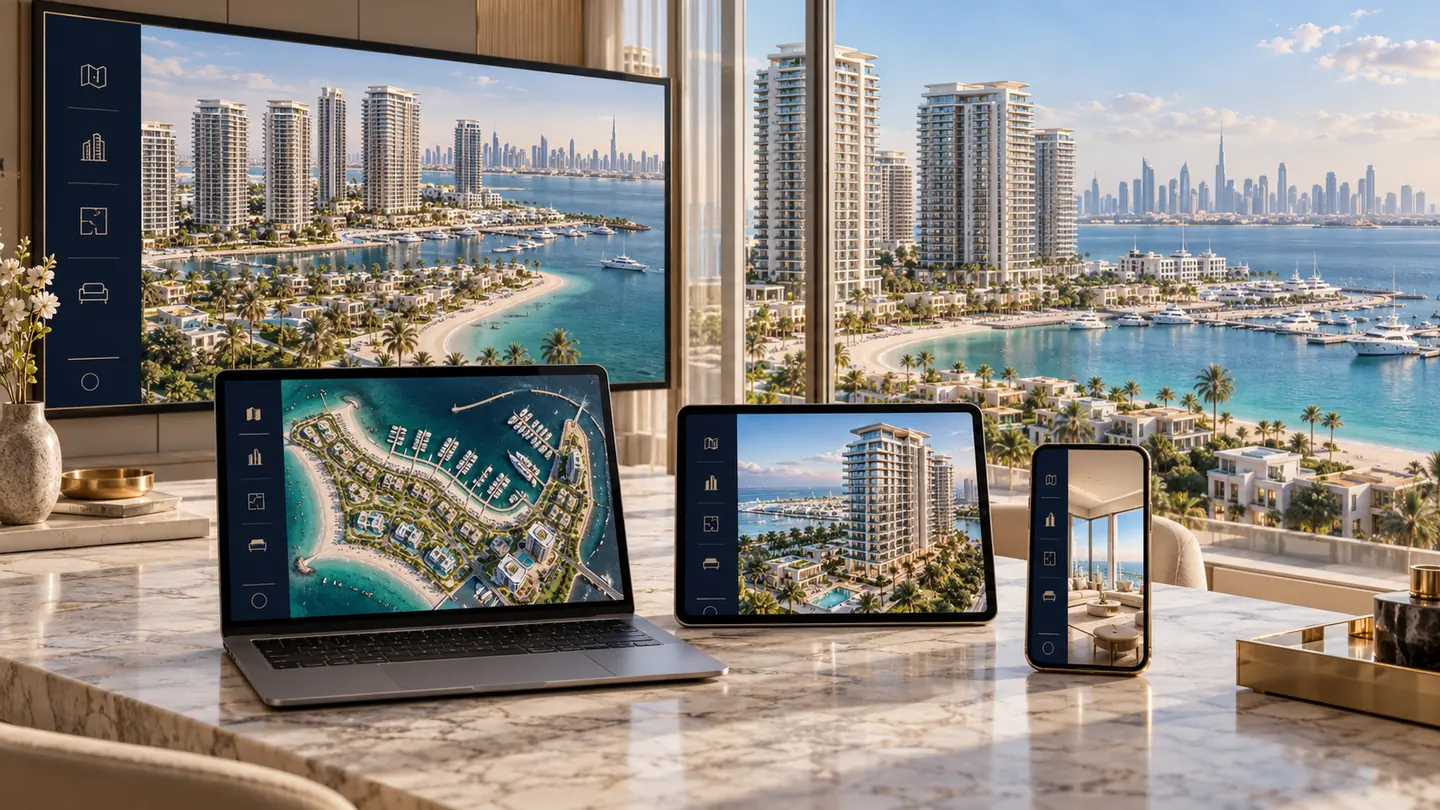
Interactive property sales platform
Turn your property project into one interactive sales experience
From master plan to building, floor, unit and enquiry. RegalScene connects the project assets you already have, your unit inventory, and every buyer action in one browser-based experience.
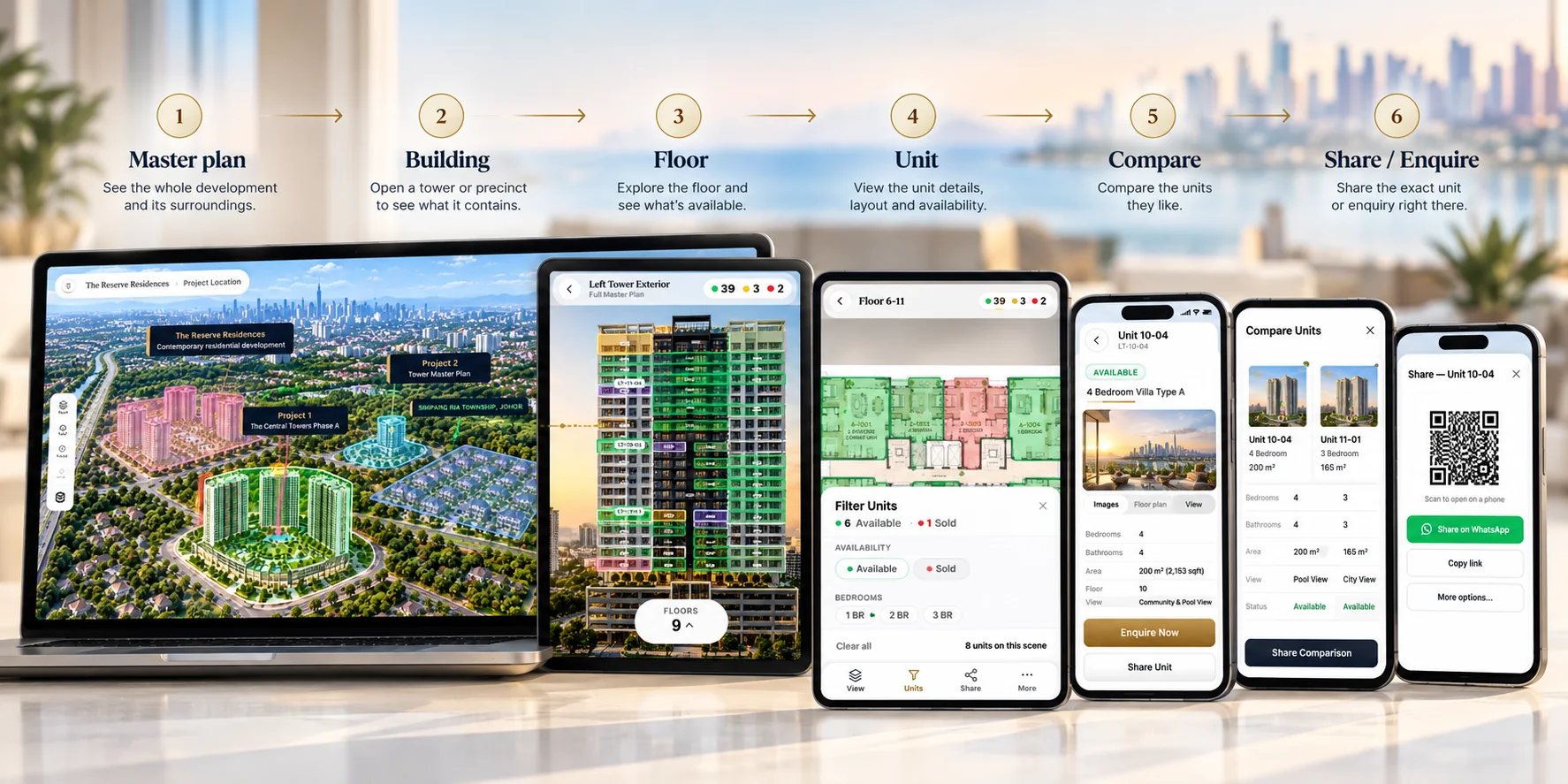
From the master plan to the unit, in one connected buyer journey.
The buyer journey
From master plan to enquiry, in one experience
These are live product screens, not mockups. The journey starts with interactive master plan software, and the full walkthrough is in our screen-by-screen anatomy.
Step 1
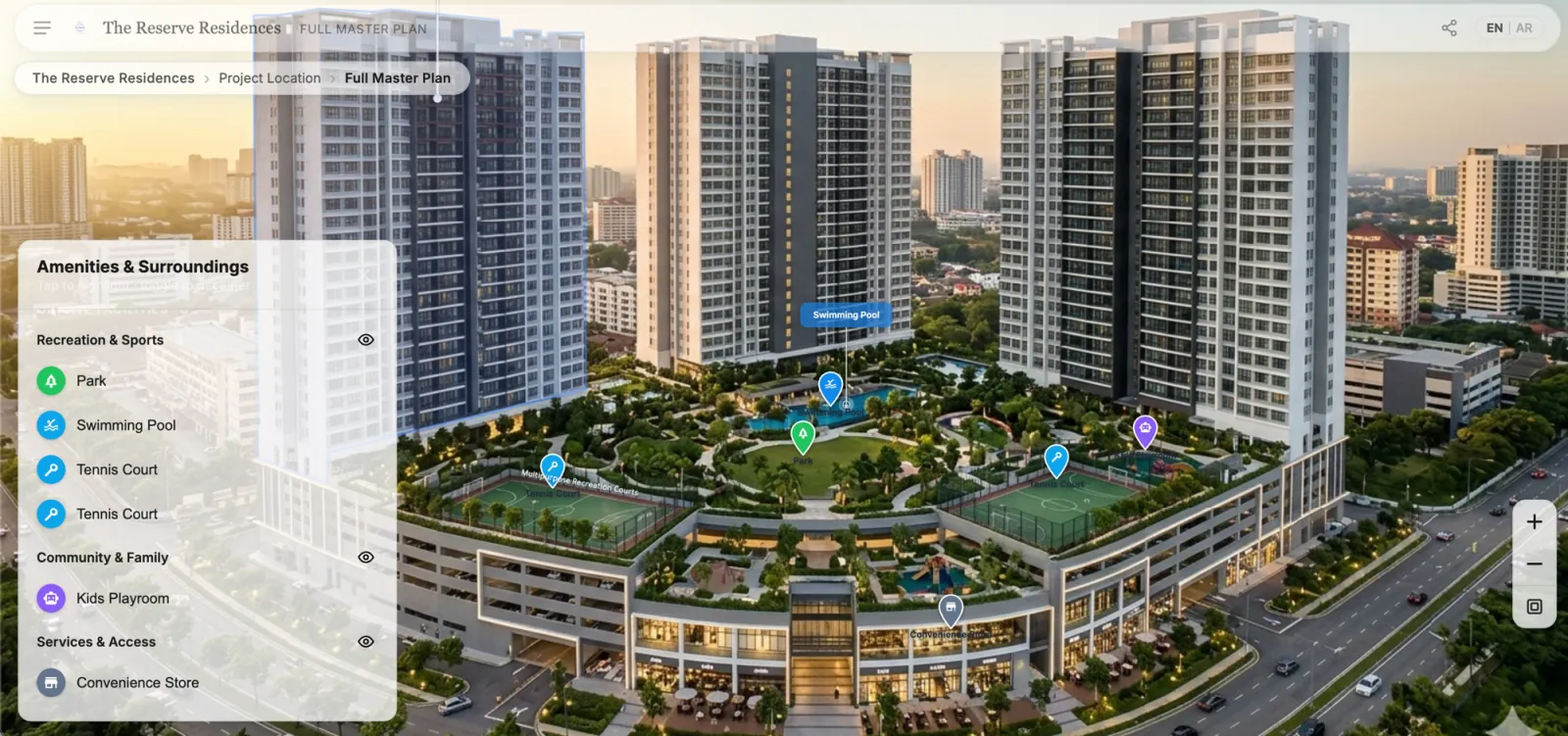
Start at the master plan
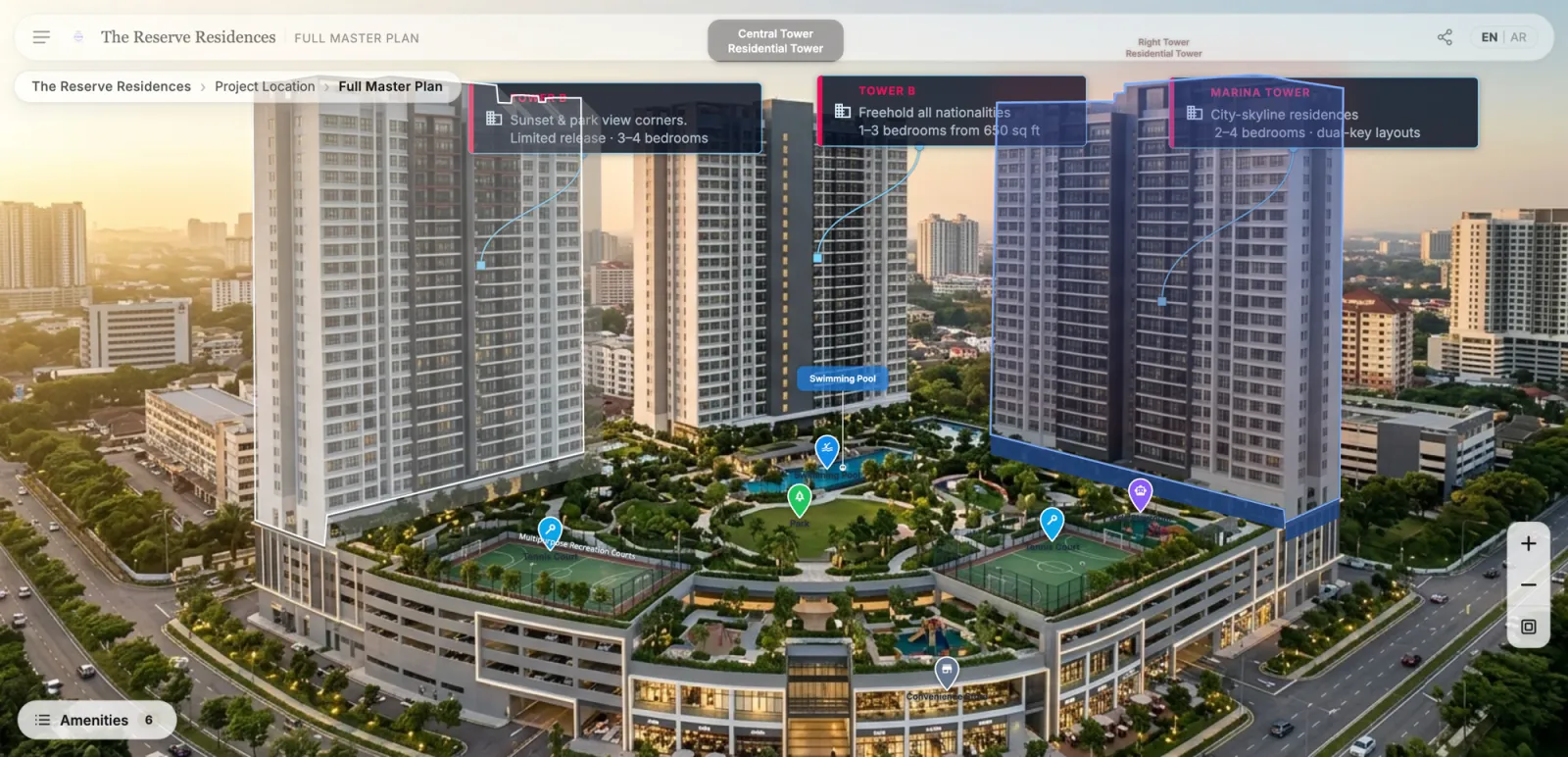
Buyers explore districts, phases, amenities and buildings visually, then move into the part of the development that interests them. Every building is a doorway deeper into the project.
Step 2
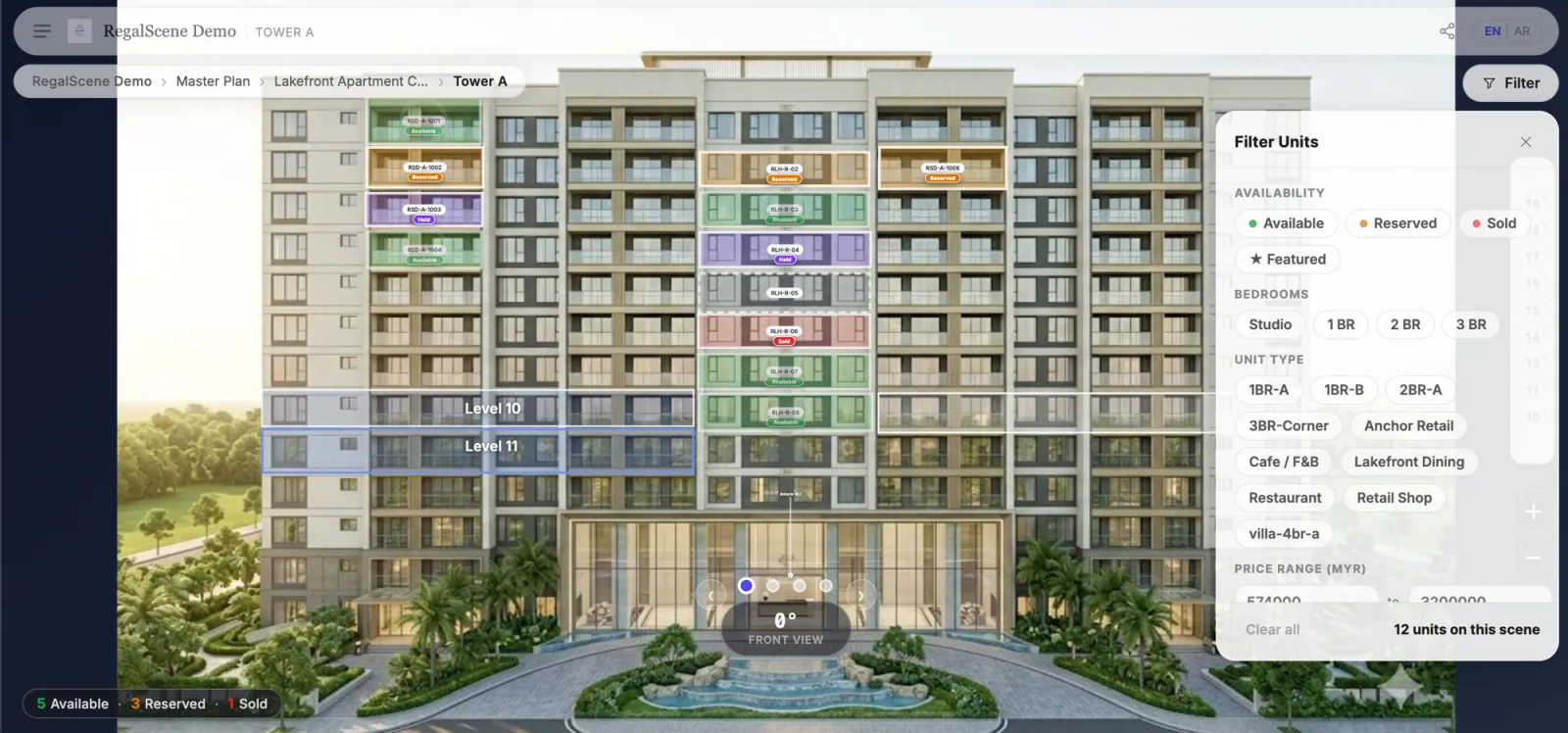
Filter units on the building itself
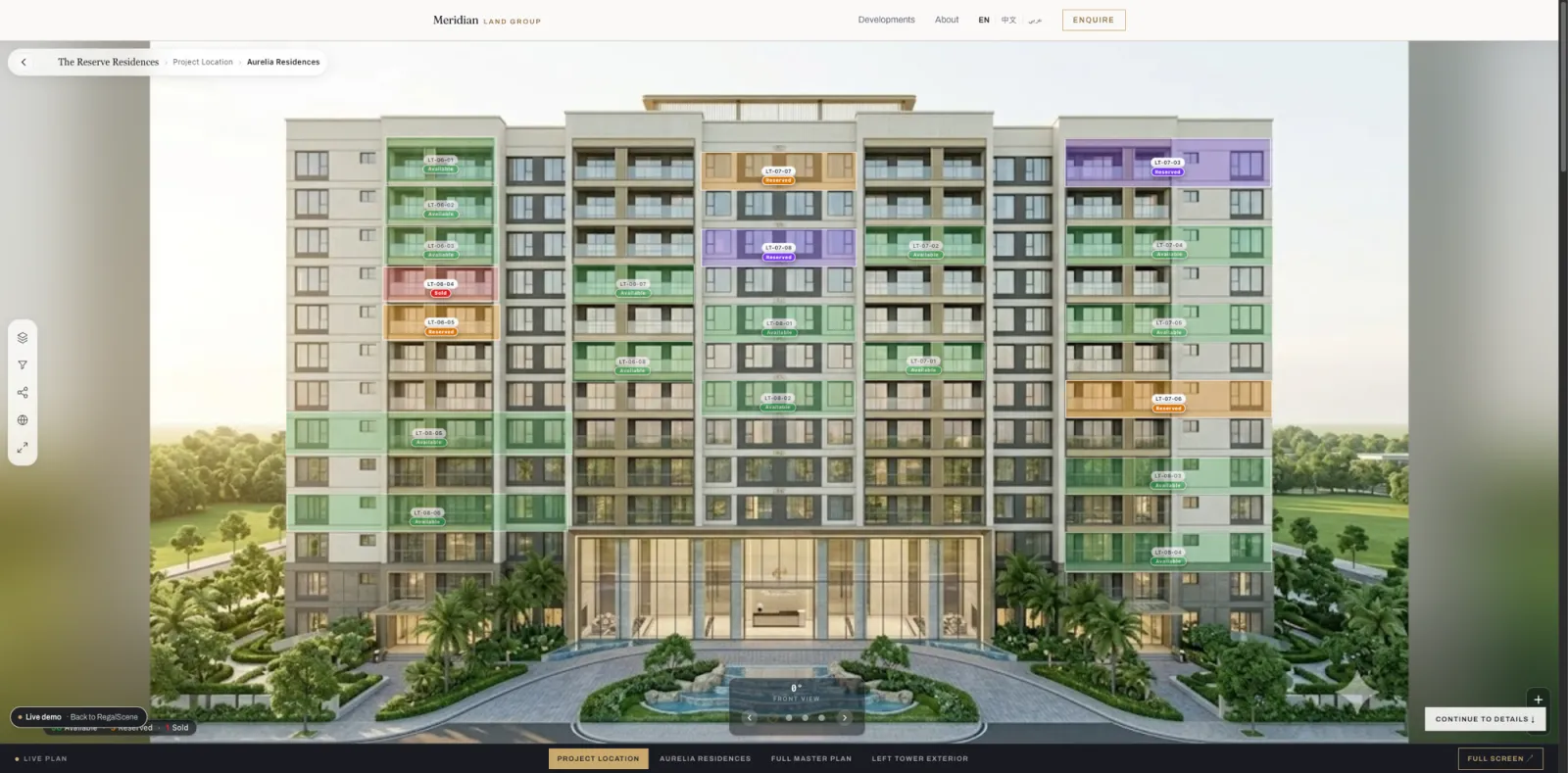
Buyers check which units are still available and filter by bedrooms, unit type, price range, and floor. Matching units stay lit on the facade while the rest fade back. Current status comes from your inventory, not the artwork.
Step 3
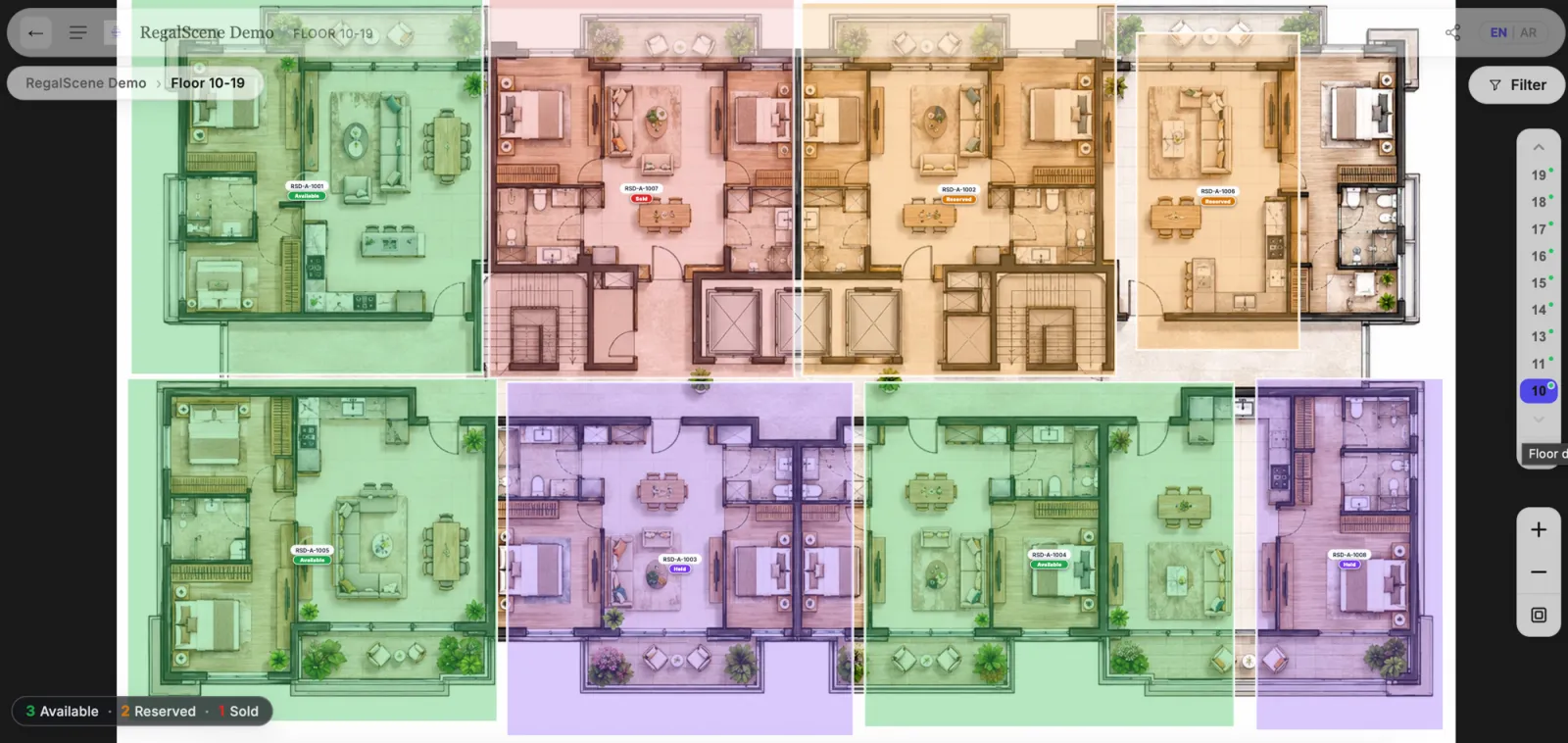
Check the floor, compare the layout
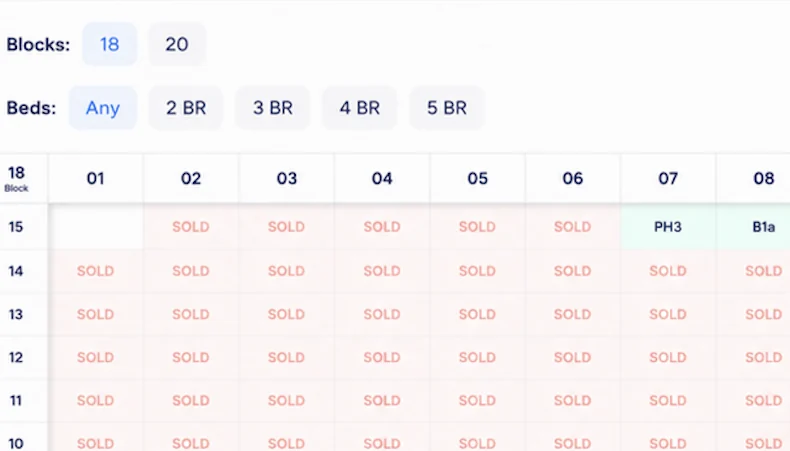
Floor plans carry per-unit status, and a floor rail with availability dots makes “is there a corner unit free higher up?” a two-tap question. A buyer stuck between Type A and Type B compares them side by side and judges which layout actually works.
Step 4
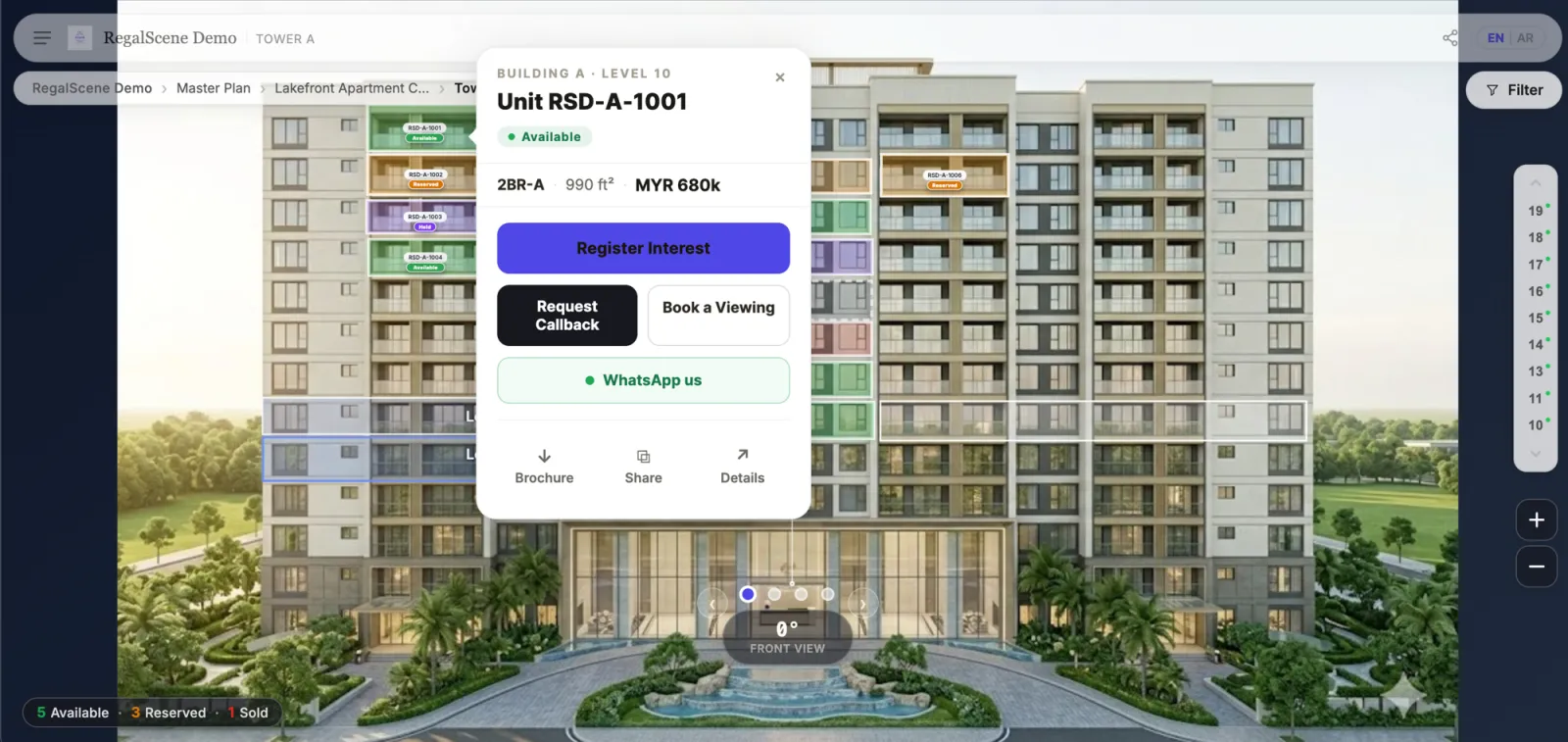
Enquire from the unit, with context
Register interest, request a callback, or open WhatsApp, straight from the exact unit the buyer is viewing. The enquiry arrives carrying the project, the view, the unit, and where the buyer came from: not just more leads, but better-context leads.
Step 5
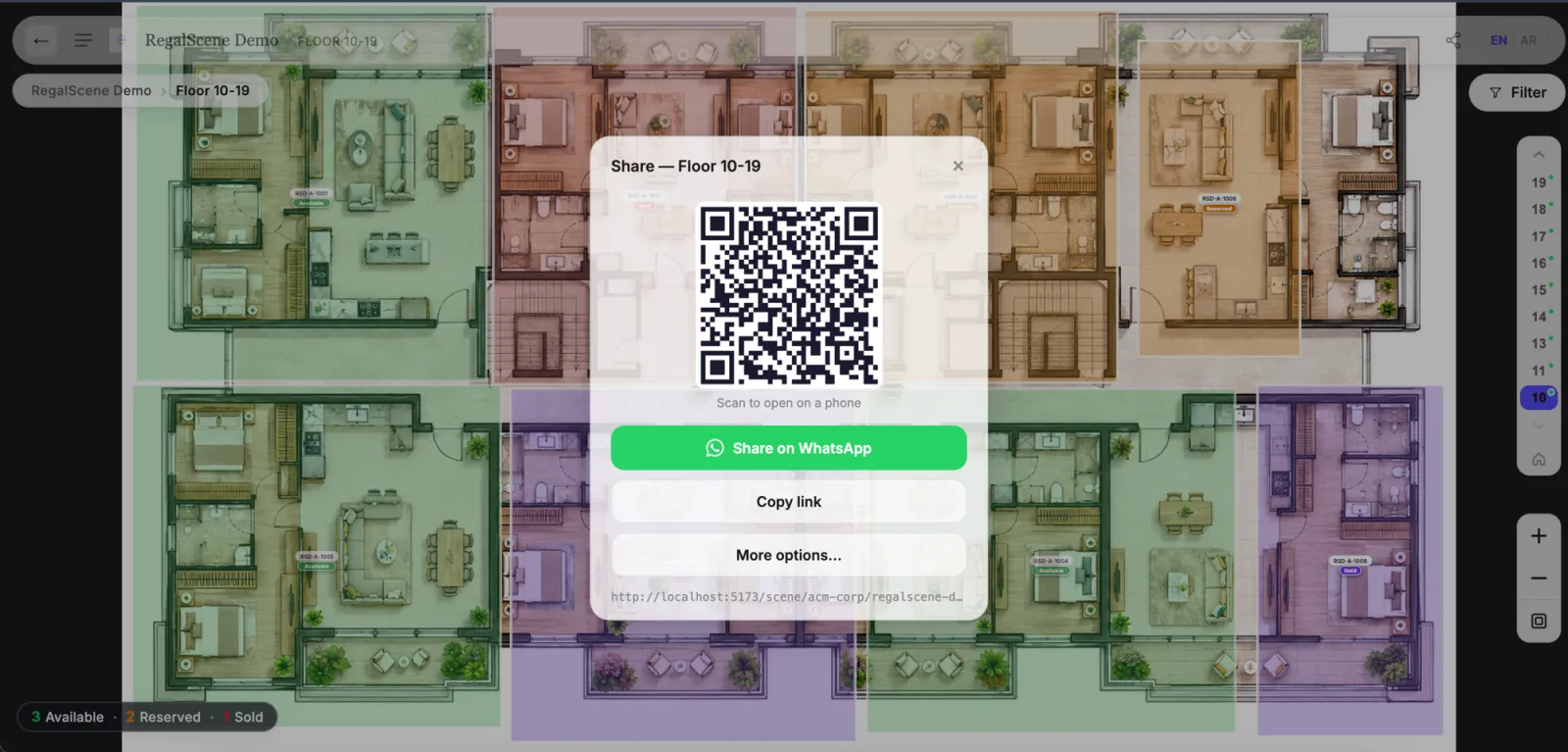
Share the exact spot
Every level shares as a link: QR codes for hoardings and events, WhatsApp for the conversations buyers already have. The recipient lands exactly where the sender was standing.
2D · 3D · 360°
One journey. The right visual at each step.
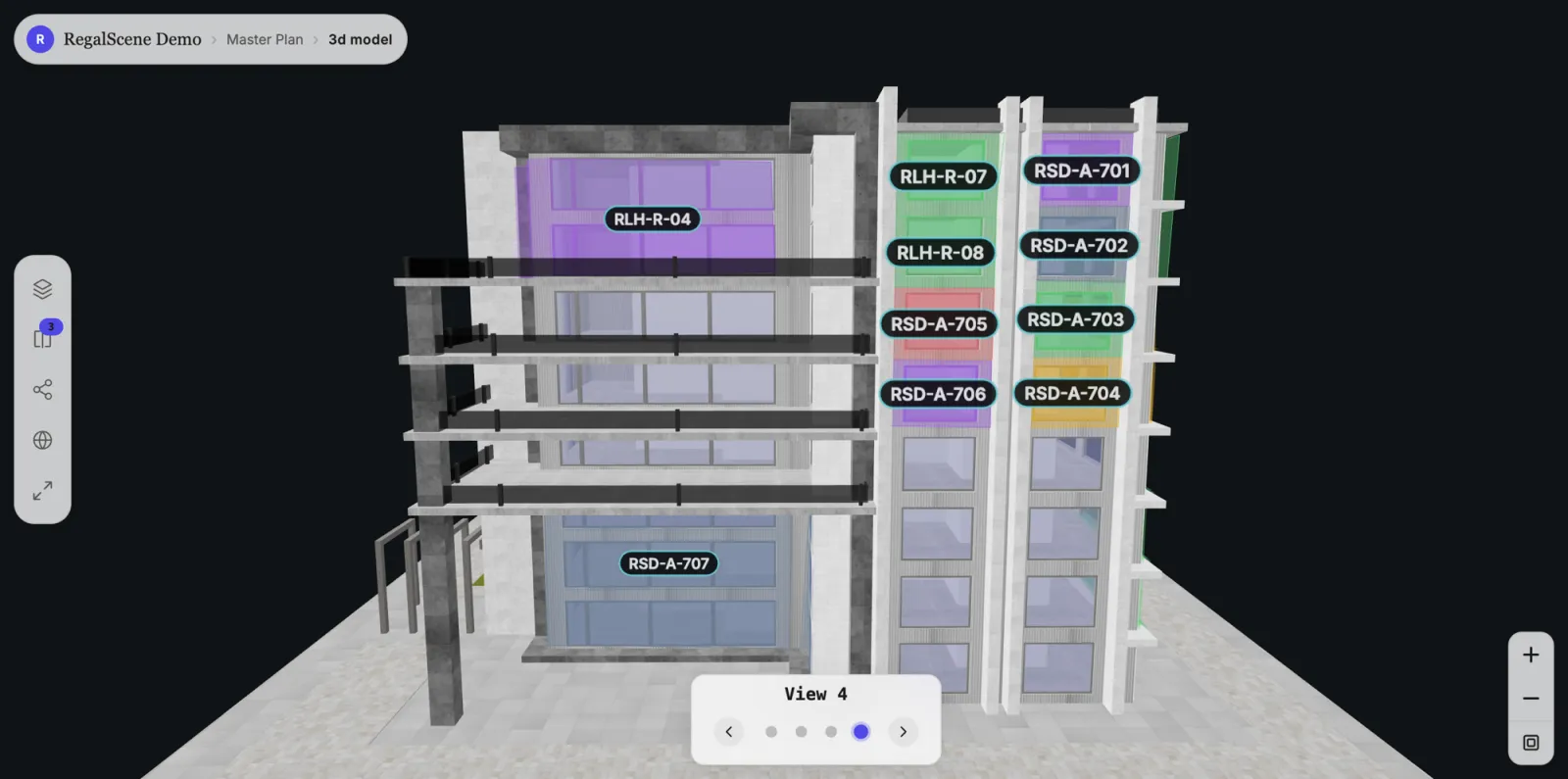
A project does not have to become a heavy 3D build to be interactive. A 2D master plan can lead into a 3D building, then a floor plan, then a unit. Another project might go from master plan to a 360° view and straight to registering interest. Where you have a 360° capture from a balcony, the view from the unit becomes part of that journey.
However the buyer arrives at a unit, the availability, price, details, and enquiry behave the same way, because it is one platform, not separate products bolted together.
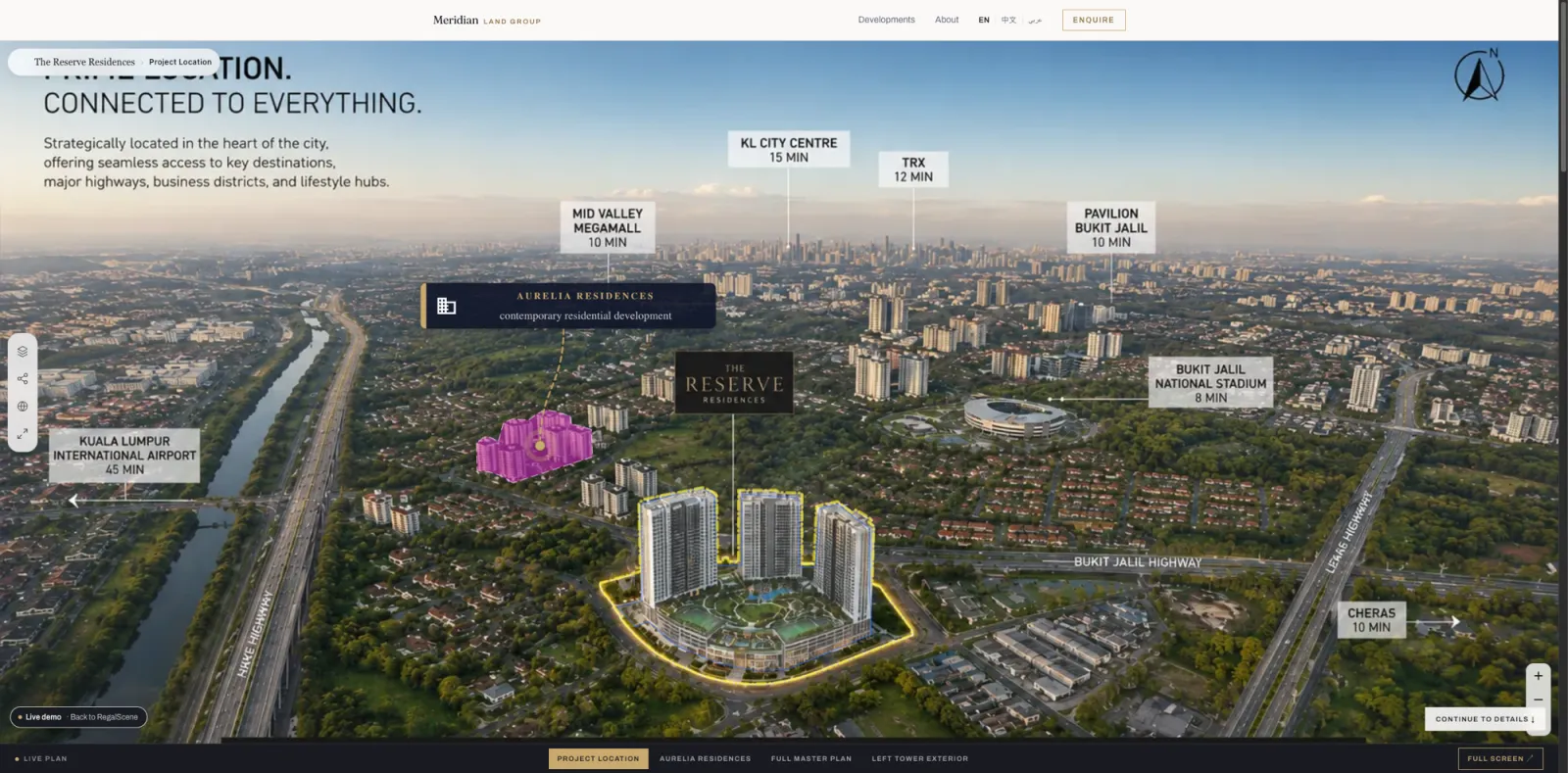
One experience · many projects
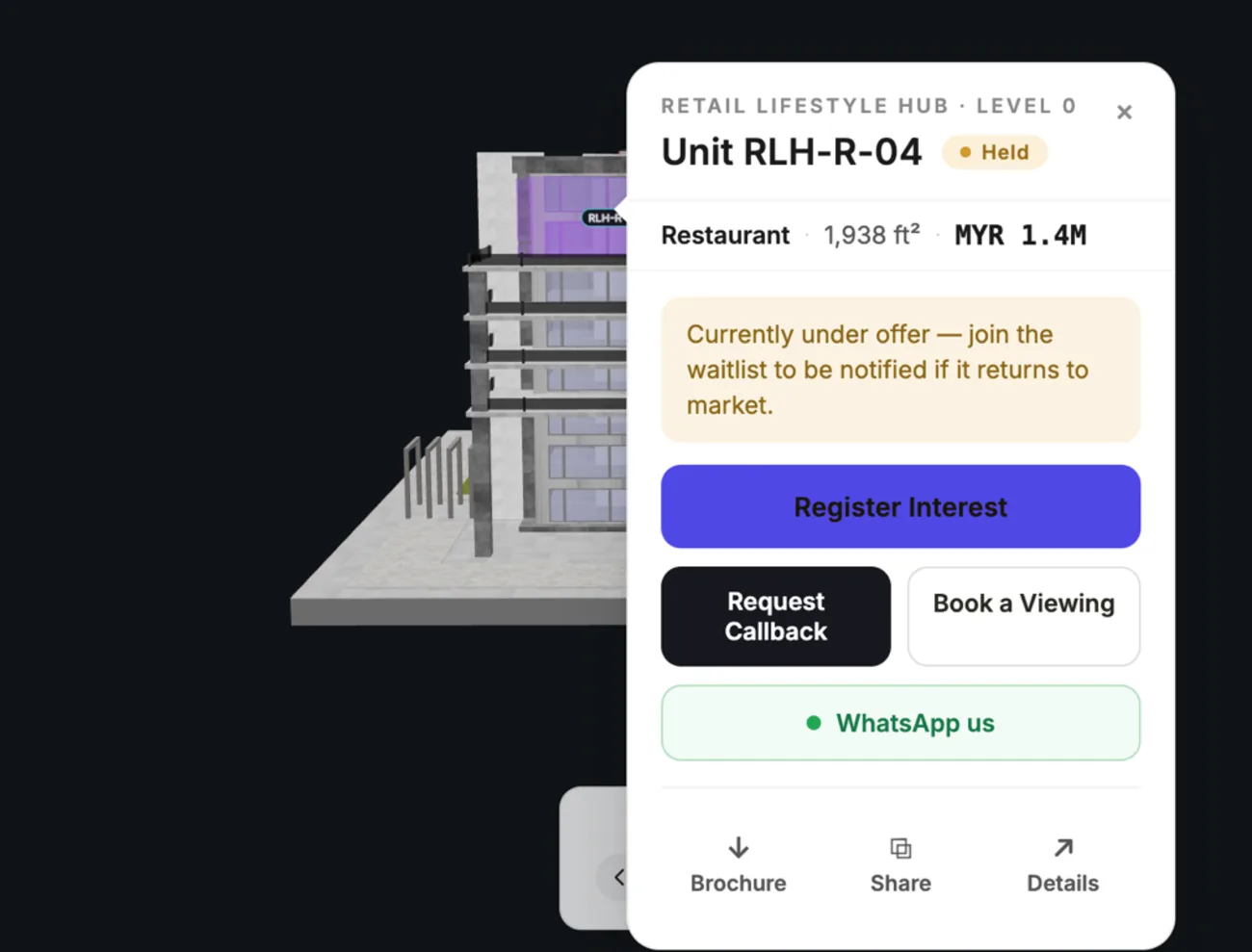
A whole portfolio, under one master plan
RegalScene is not limited to a single project. One master plan can open into several projects, phases or towers: a mixed-use destination, a master-planned community, or a developer’s whole portfolio, and the buyer moves between them without leaving the experience.
Each project keeps its own buildings, floors, units and current availability. The portfolio is the entry point; the unit is the destination.
What this changes for the developer
Reuse what you already have
Master plans, renders, floor plans, and unit information become interactive without recreating the project.
Keep it current after launch
Your team updates availability and project information through Studio, and the published experience reflects it without republishing the views.
Turn browsing into contextual interest
You see which project, building, floor, and unit a buyer was exploring at the moment they acted.
One experience, every channel
Project website, campaign pages, agency and partner sites, QR codes, WhatsApp, and the sales gallery.
The RegalScene Loop
Your Assets Go In. One Live Experience Goes Out. Buyer Intelligence Comes Back.
The renders, plans, and unit data you already own become one interactive experience, published once and distributed everywhere you sell, and every buyer interaction returns to you as intent your sales team can act on.
What you already have
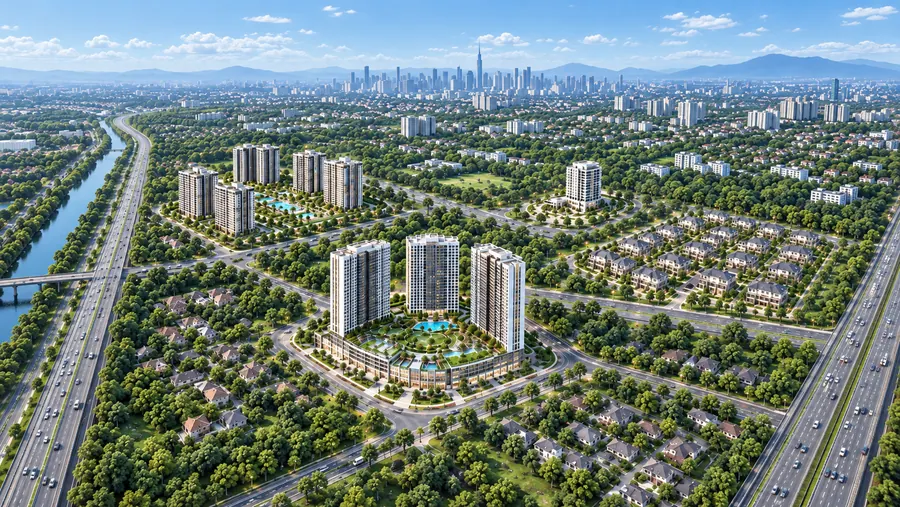
Master plan
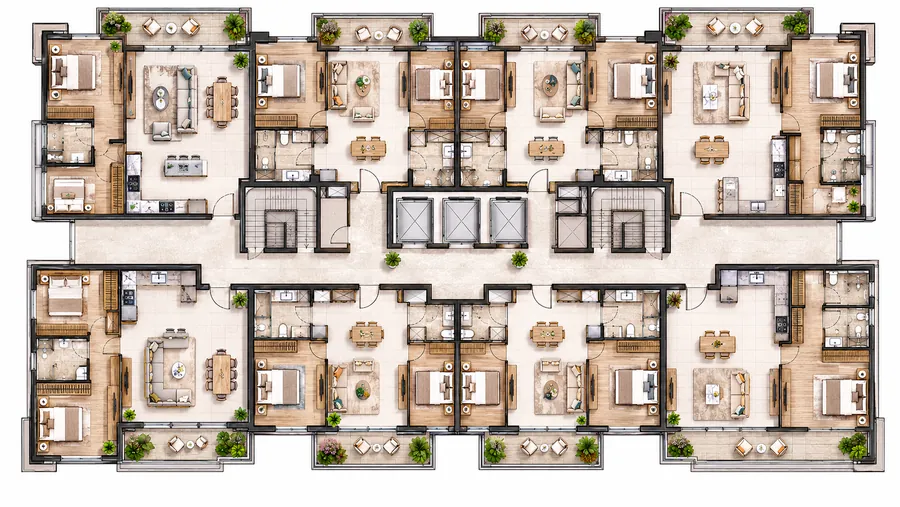
Floor plans
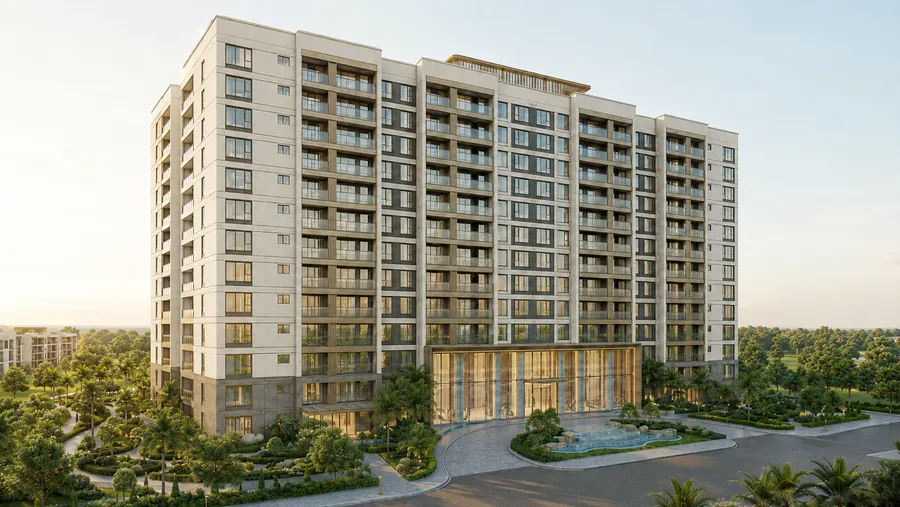
3D models
Unit data
RegalScene
One interactive
experience
Where you sell it
Your website
 Exploring
Agency sites
 Comparing
Property portals
ShortlistingSales gallery
 Enquiring
What comes back to you
- 01
Your assets go in
Plans, renders, models, and unit data you already own.
- 02
One experience goes out
Published once, live on your own domain.
- 03
Buyers explore everywhere
Your site, agencies, portals, and the gallery screen.
- 04
Intelligence comes back
Which units, how often, and from where.
What you already have
Master plan
Floor plans
3D models
Unit data
One experience goes out
RegalScene
One interactive experience
Where you sell it
Your website
Agency sites
Property portals
Sales gallery
What comes back to you
Which units, how often, and from where.
The platform
Four connected engines behind the experience
Scene Engine
Explore the project
Turns master plans, building views, floor plans, 360° views and 3D models into one connected buyer journey, whichever visual suits each step.
Learn more →Studio
Build and update the experience
Your team builds and updates project journeys, overlays, labels, POIs, media and inventory-connected views, then publishes under version control.
Learn more →Lead Engine
Capture buyer interest
Enquiries arrive from a specific project, floor, unit, CTA, campaign, QR code or agent link, with the buyer's context attached.
Learn more →Insight Engine
Understand buyer behavior
See which buildings, floors, layouts and units attract attention, and where enquiries come from.
Learn more →Built for the teams that sell property
For property developers
- Launch with the renders you already commissioned, without commissioning a new build for every phase.
- One availability status across master plan, buildings, and floors keeps every channel consistent, including agents.
- See what attracts attention: which zones, buildings, floors, and unit types buyers actually explore.
For marketing agencies
- Deliver interactive campaigns for property clients without building custom software per project.
- Embed experiences into campaign pages, drive QR traffic from out-of-home, and attribute enquiries to channels.
- Each project carries the client's own logo and colors.
For sales & marketing teams
- Run the launch, the campaign, and the sales gallery from one experience instead of separate decks and PDFs.
- Every enquiry arrives with the buyer's context, so follow-up starts from what they were actually looking at.
- Share any level (project, building, floor, or unit) as a direct link or QR code.
Platform vs custom build vs game engine
The three ways developers buy interactive experiences: full pricing breakdown here.
| Platform (RegalScene) | Custom studio build | Game-engine experience | |
|---|---|---|---|
| Delivery model | Reusable platform | Project-specific implementation | Project-specific implementation |
| Unit availability | Maintained in the platform inventory | Custom integration | Custom integration |
| Price change or new phase | Updated and published from Studio | Often requires vendor changes | Often requires specialist changes |
| Where buyers use it | Any browser: phone, embed, QR, WhatsApp | Depends on implementation | Often higher rendering requirements |
| Enquiry context | Built in, per unit | Custom implementation | Custom implementation |
| Visual range | 2D, 3D and 360° in one journey | Depends on project scope | Typically 3D-led |
| After sell-out | Continues for resale and leasing | Depends on project scope | Depends on project scope |
Frequently asked questions
- What assets do we need to get started?
- The renders you already have: a high-resolution master plan or aerial, building views, and floor plans. Unit inventory can start as a spreadsheet. A 3D model is optional: bring one if you have it, but the experience does not require one, and no game engines or app downloads are involved.
- Do we need to recreate our project assets?
- No. RegalScene is designed to work from the master plans, renders, floor plans, and unit information you already produced for the project, rather than rebuilding the development from scratch.
- Does it work for off-plan projects?
- Yes. Off-plan is the primary use case. The experience is built from CGI renders, so buyers explore the development, check current availability, and enquire before construction completes.
- How does unit availability stay current?
- Availability comes from the unit inventory you maintain in the platform, not from the artwork. When a unit is reserved or sold, your team updates the status once and the published experience reflects it without republishing the views.
- Can it embed into our existing website and campaigns?
- Yes. The experience embeds into your project website and campaign pages via an SDK, and every level (project, floor, unit) shares as a direct link or QR code, including through WhatsApp.
- What do leads look like?
- Every enquiry carries the buyer's context: the project, building, floor, and unit they were viewing, the action they chose (register interest, callback, WhatsApp), and the campaign or agent link that brought them.
- Can our team update the project after launch?
- Yes. Availability, project information, labels, media, and views are updated through Studio and published under version control, so the experience stays current without going back to a vendor. Access to the more advanced authoring tools depends on your plan.
- Will RegalScene slow down our website?
- RegalScene is a browser-first experience that integrates into your existing site rather than rebuilding it, and it is optimized for desktop, tablet, and mobile. Final performance also depends on your project assets and how the experience is integrated, so we size that with you during setup.
- What happens after the project sells out?
- The same experience keeps working. Availability moves to resale and leasing, and the interactive map becomes the property's long-term front door for owners, tenants, and property managers.
Evaluating options? Start with the feature checklist and the software selection guide.
See how RegalScene would work for your project.
Show us your master plan, building renders or floor plans, and we'll walk through how they would become an interactive property sales journey.