A developer selling four projects usually runs four microsites, four sets of shared links, and four dashboards that never reconcile. The sales team pastes a different URL for every launch. A buyer opens one, loses it in a chat thread, and opens a competitor's instead.
Meanwhile the master plan the developer paid a studio to render sits on a slide or in a PDF, used once on launch day and forgotten. It is the most expensive asset in the marketing budget and the least used online.
The buyer never wanted four websites. They wanted one place to look.
One master plan, many projects
Here is the shift we proved: a master plan does not have to belong to a single project. A national map of Saudi Arabia, a map of Malaysia, a city, a district, or a master community can become the entry point, with every project placed on it as a location you can open.
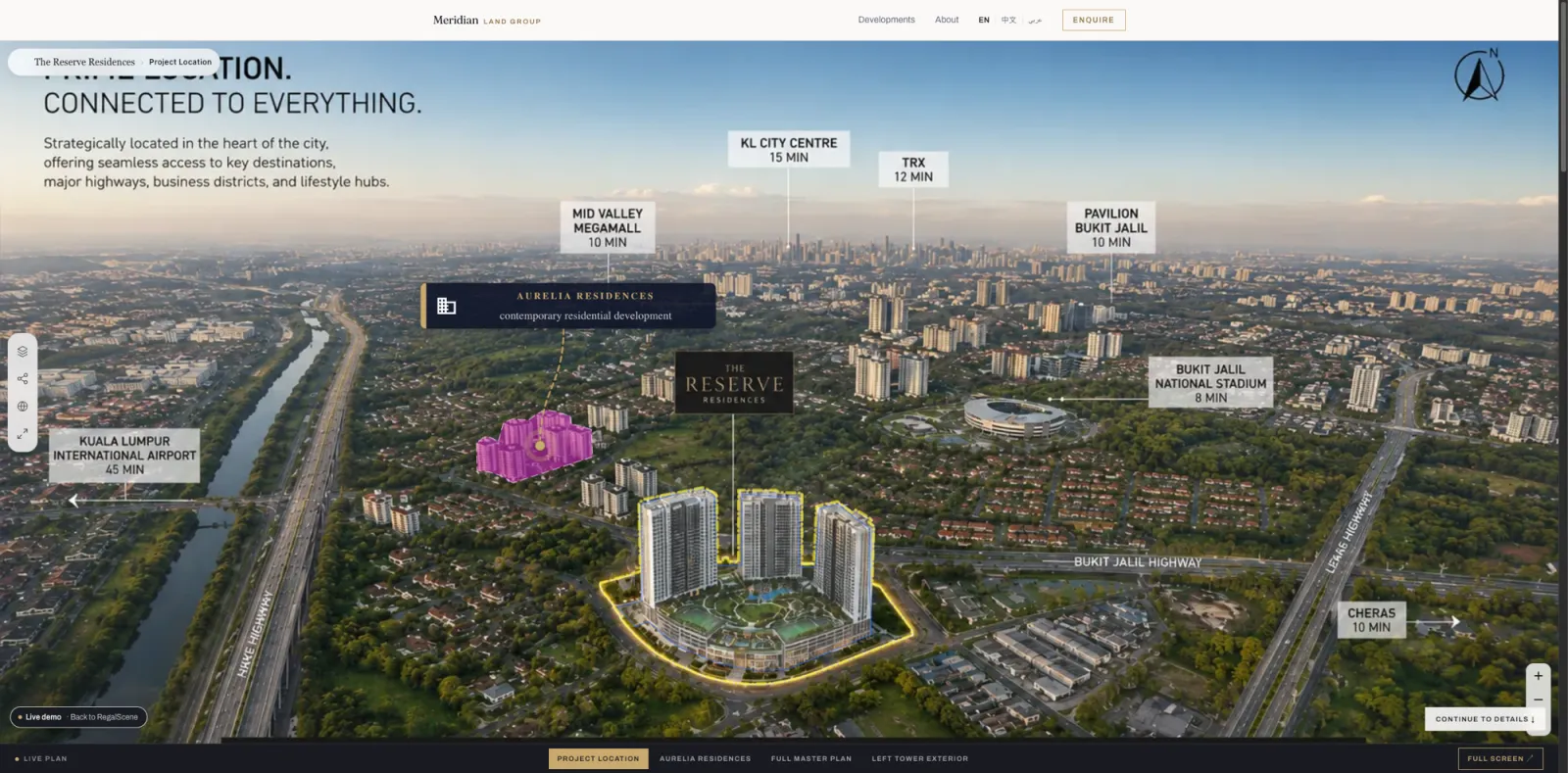
The buyer lands on the whole portfolio. One project is highlighted on the map; another sits a few kilometers away as its own pin, ready to open. From there they step inside any project's interactive master plan, then its buildings, floors, and units, and back out to the map to compare, all inside one experience with a single live source of truth.
None of this is a slideshow. Each project keeps its own views, its own inventory, its own availability. The map simply gives them a shared front door.
One link now opens a portfolio, not a page.
Why this lands hardest in KSA, the GCC, and Southeast Asia
Developers in these markets rarely sell one thing at a time. In KSA and the GCC, master developers run dozens of plots, towers, and phases at once, and much of it sells off-plan (بيع على الخارطة), where the buyer commits before the building exists and the visual experience is the product. In Malaysia, Indonesia, Vietnam, and the Philippines, a single developer sells across cities and to overseas buyers who will never stand on the site.
For a buyer weighing several launches from the same developer, a portfolio map answers the first real question fast: what are you building, and where. It is the org chart your buyer can actually read.
When you sell many projects at once, a portfolio map is not a nicety, it is the fastest way for a buyer to choose which one is theirs.
Mobile is now the primary showroom
Most of these buyers arrive on a phone. The link comes through WhatsApp, an Instagram ad, a QR code on a site hoarding, an SMS from an agent. They open it in a lift, in a car, between meetings. Desktop is the exception now, not the default.
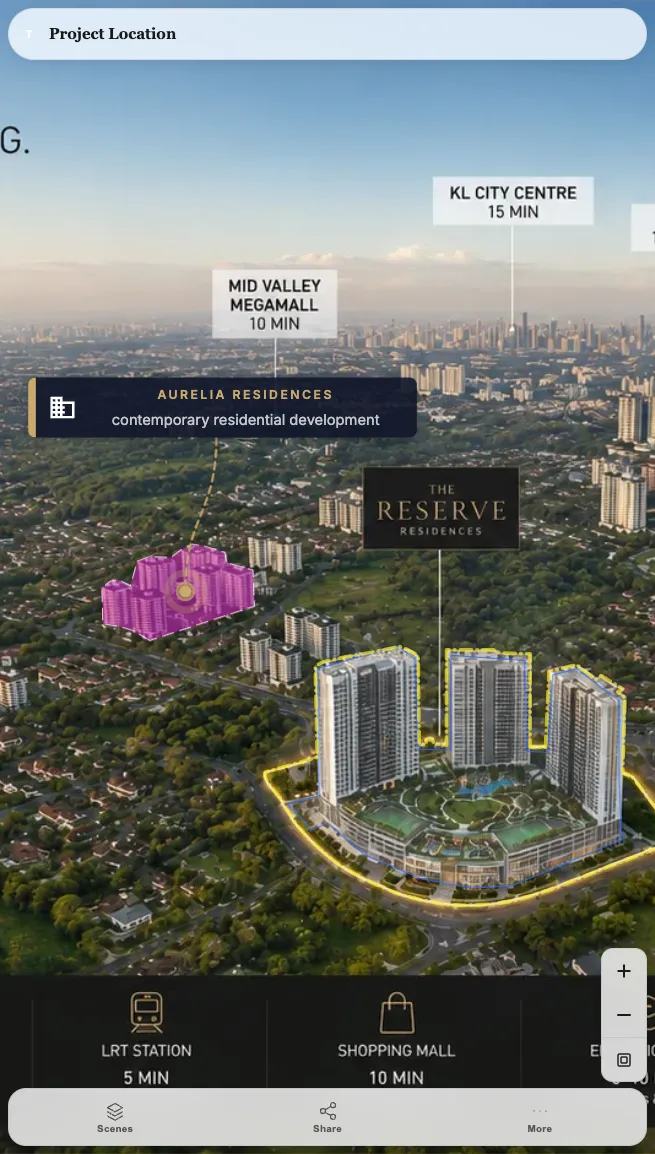
A desktop-first experience punishes exactly the traffic that matters most. Interface crowds the map. Controls sit at the top, where no thumb reaches. The view loads with no sign that it is working, and the buyer decides it is broken.
If the experience is not built for a phone held in one hand, it is not built for your buyer.
What changed in the mobile experience
We rebuilt the viewer for the phone instead of shrinking the desktop one to fit. What changed:
- The property fills the screen. Interface recedes to a compact header and a bottom dock, so the map, building, or floor is the largest thing in view.
- Controls moved to the thumb. View switching, filtering, and sharing sit at the bottom of the screen where a thumb rests, not at the top where it cannot reach.
- Filtering fits the small screen. Availability, bedrooms, price, and floor range collapse into a panel a buyer can work one-handed.
- Floors and units stay reachable. A floor selector on the tower, unit overlays that respond to a tap, rotation sized for a fingertip.
- Loading is honest. Instead of a blank screen, the experience shows where it is in the load, so a buyer on a moving train never wonders whether it froze. The same tile-based engine that keeps large master plans fast in a browser does the heavy lifting here.
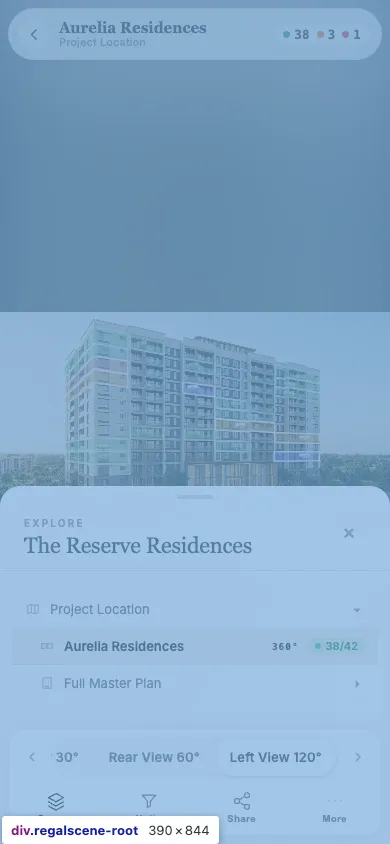
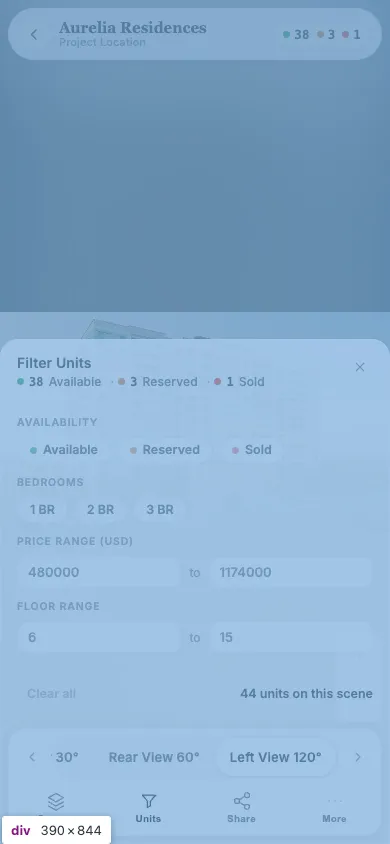
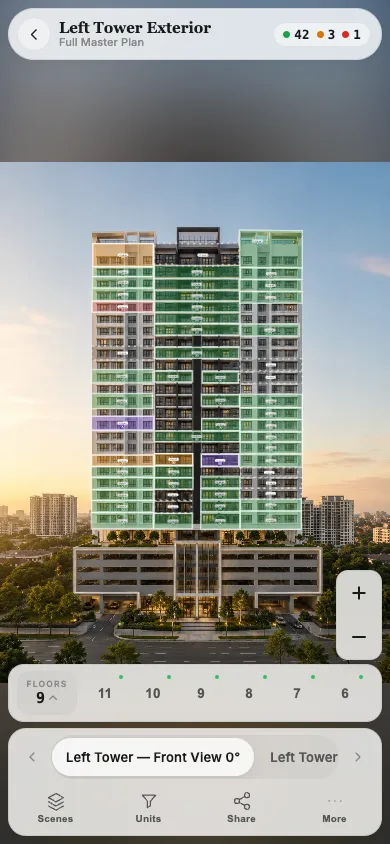
The buyer should never stare at a blank screen wondering if it broke.
From map to project to unit, without a dead end
The point of the portfolio map is what happens after the tap. The journey runs from portfolio map to project, master plan, building, floor, unit, and enquiry, and every step is a real, navigable view rather than a picture.
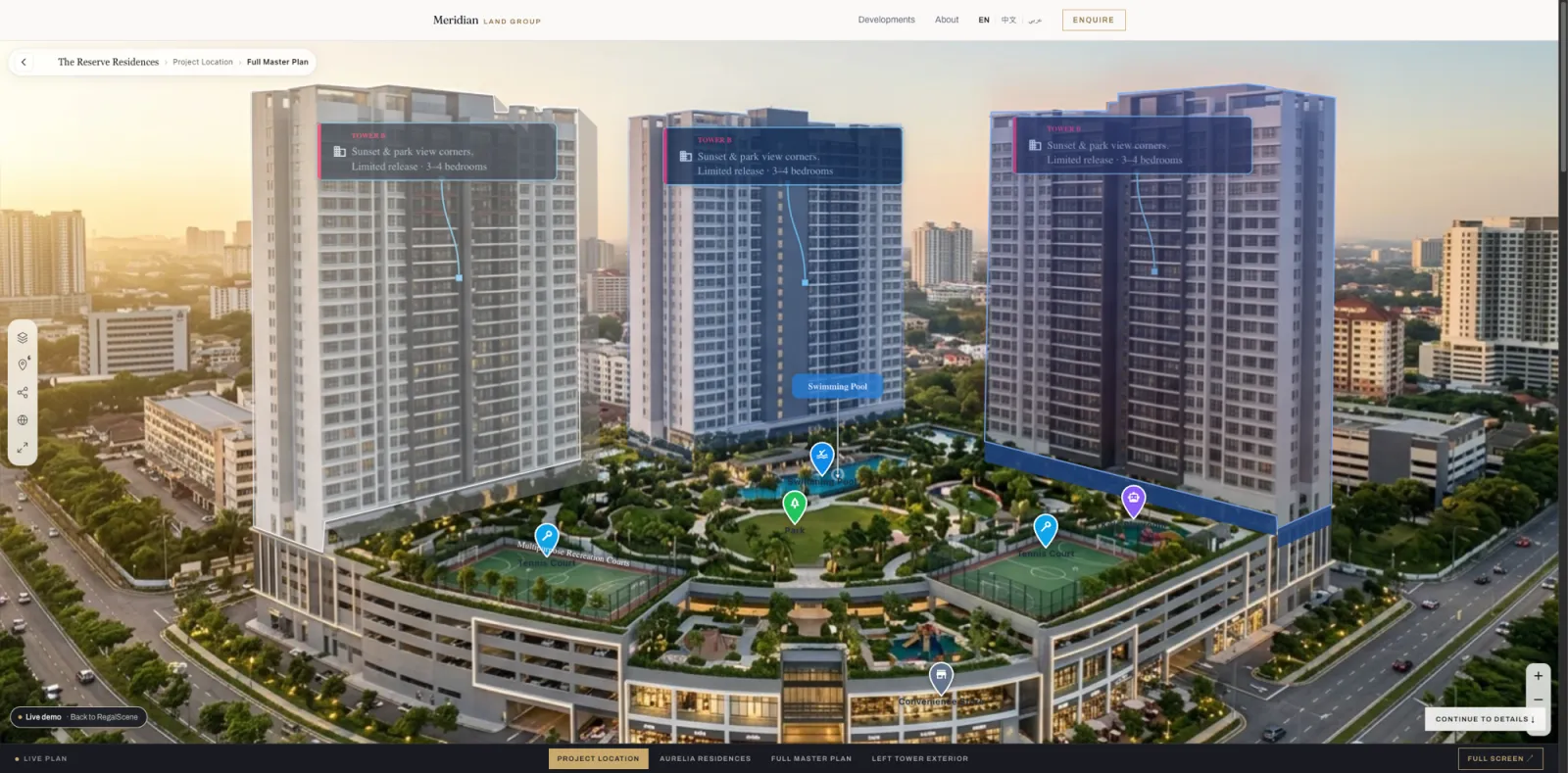
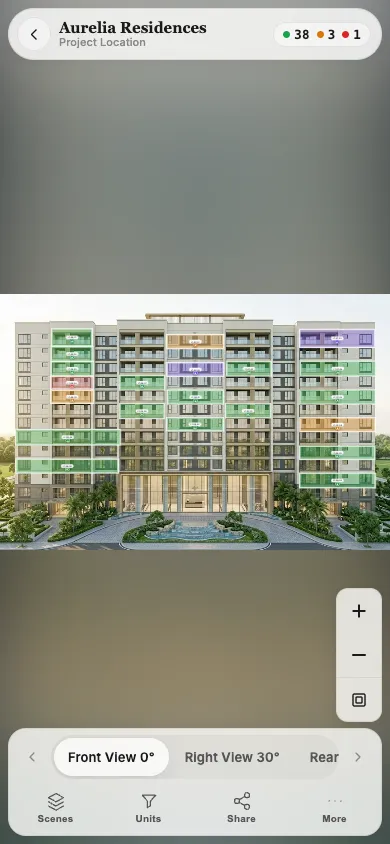
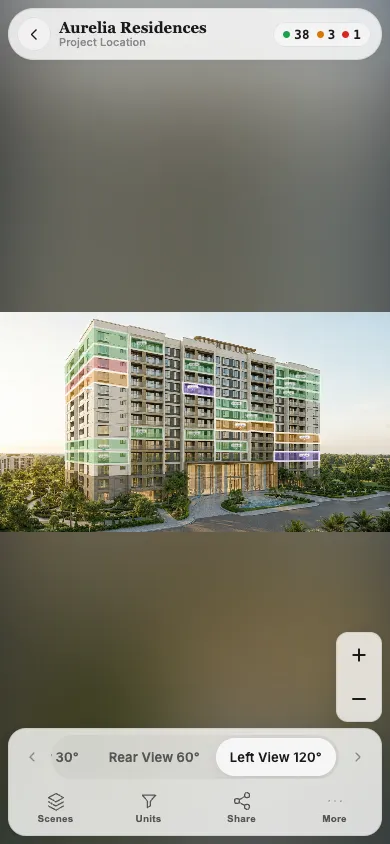
Open a project and its towers stand up as selectable objects, amenities pinned across the podium. Open a tower and the facade becomes the interface, every unit an outlined shape carrying current status.
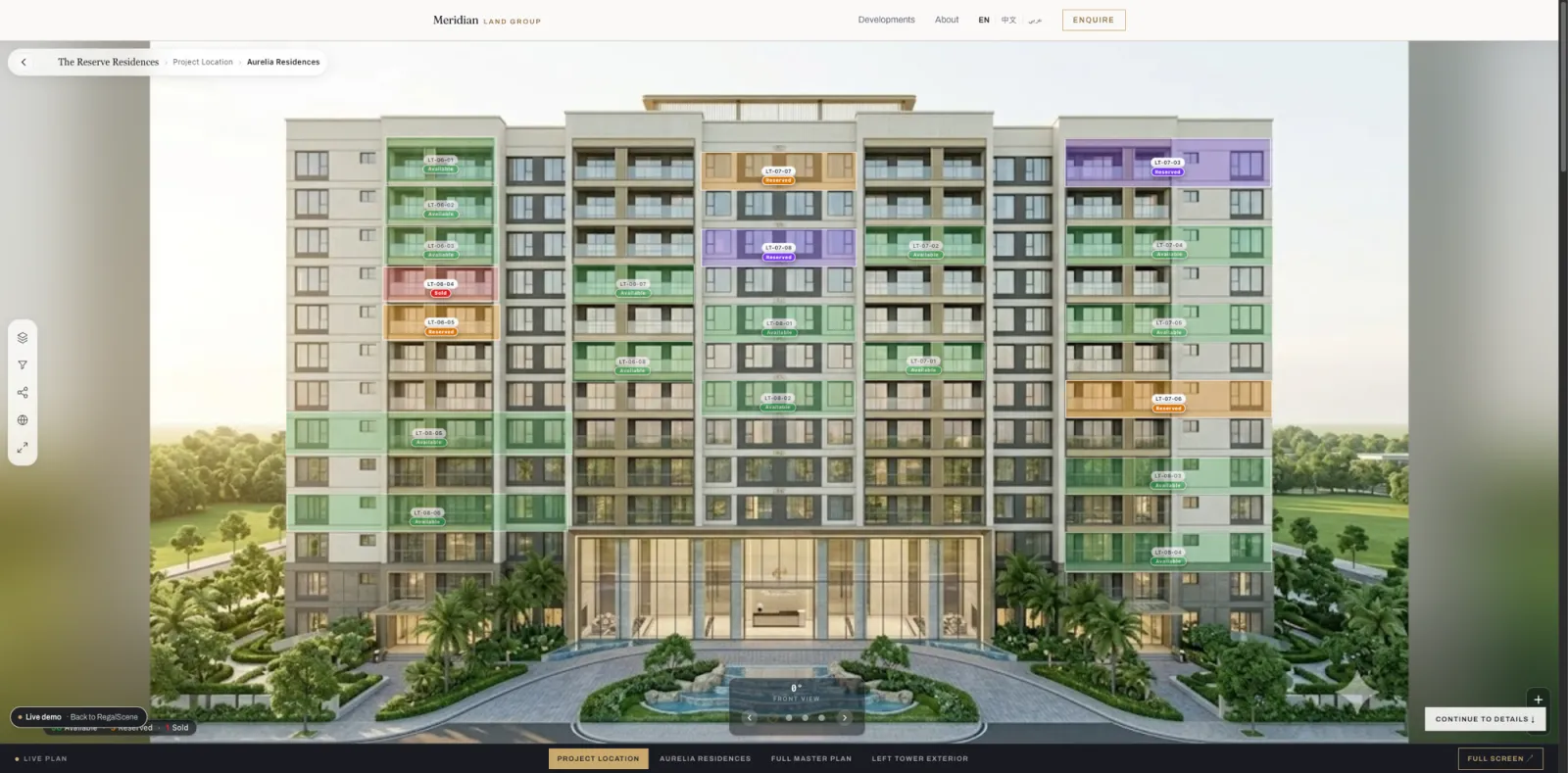
Drop into a floor and the plate shows layout, typology, and which units are still free. On the tower itself, units read as tappable bands and shapes.
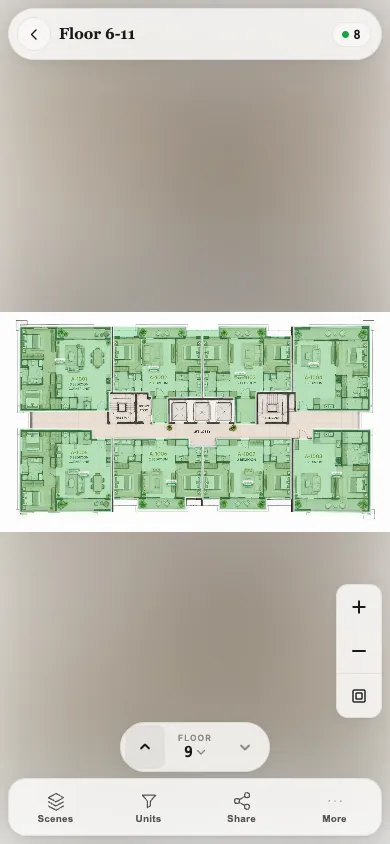
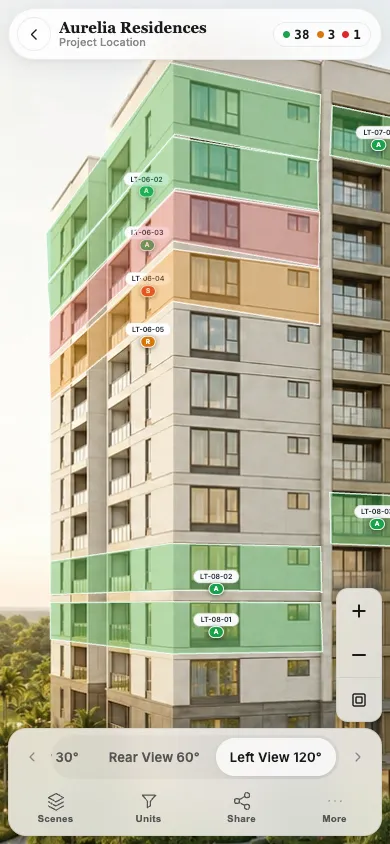
At the end sits the unit and its enquiry. Because the buyer traveled the whole chain to reach it, the enquiry arrives carrying that context: which project, which tower, which unit, and what they filtered for. The full anatomy of that chain is covered in map, building, floor, and unit views.
A buyer who can travel map to unit and back never hits the dead end that ends most property sessions.
What this means for sales teams
One link replaces the folder of links. An agent shares a single portfolio entry, or deep-links straight to one unit, and it opens clean on the buyer's phone.
The team stops maintaining four microsites and starts working one source of truth. Mark a unit sold once, and it reads sold on the map, the facade, the floor plate, and the shared link, everywhere, at the same moment. Because the whole portfolio runs through one experience, the buyer analytics finally sit in one place: which projects buyers open, which units they linger on, and where they stop.
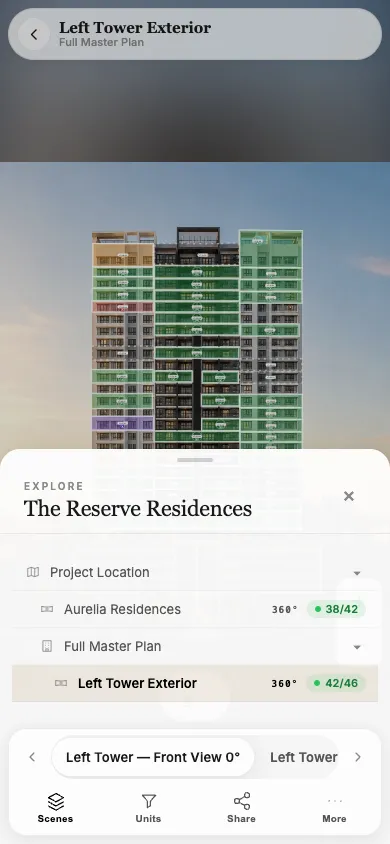
Give the team one link that always opens right, and every share becomes a tracked, warmer lead.
One interactive layer for the whole portfolio
For portfolios that need real geographic context, RegalScene Geographic adds Web GIS above the project: a map of developments, boundaries, and surrounding places connected to the existing property experience.
This is the direction of travel: RegalScene moving from a viewer for one project to an interactive sales layer for a developer's entire portfolio. The master plan stops being a launch-day render and becomes the permanent front door. Country, city, or community at the top; every project, building, floor, and unit underneath; the same current availability throughout; all of it built for the phone the buyer is holding.
You already own the assets. The renders, the floor plans, the master plan. The portfolio map is what finally puts them to work together.
One map. Every project. Built for the phone in your buyer's hand.
Related reading:
- Map, Building, Floor, and Unit Views: How to Display a Property Project Online
- Why RegalScene Isn't Priced Per Unit
- Interactive Master Plans for Townships and Mixed-Use Developments
- How Massive Master Plans Stay Fast in a Normal Browser
- Interactive Master Plans for Multi-Tower Dubai Projects
- Shareable Interactive Property Links for QR Codes and WhatsApp
RegalScene turns your existing renders, floor plans, and master plan into one interactive experience, from portfolio map to unit, built mobile-first with current availability throughout. See the platform or book a demo.