Platform Module
Scene Engine
Turns Static Assets Into a Buyer Journey
Scene Engine turns your existing sales assets: master plan, buildings, floors, units, plots, or warehouses, into one connected experience buyers explore themselves, with live availability and instant enquiry on any screen.
Renders do not answer the next question.
A buyer sees a beautiful image, then still asks where the tower is, which floor is available, what the unit faces, and who to contact.
Brochures go stale before the campaign ends.
Availability changes, phases move, launch messages evolve, and every agency keeps a different copy of the project story.
Leads arrive with no buyer context.
Sales receives a name and phone number, then starts from zero instead of knowing what the buyer already explored.
The Buyer Journey
From the Whole Development to the Exact Unit in Minutes
Scene Engine makes the project feel explorable. Buyers do not have to wait for a salesperson to explain every layer before they can understand what fits them.
- 1
They open the interactive master plan and understand the full development at a glance.
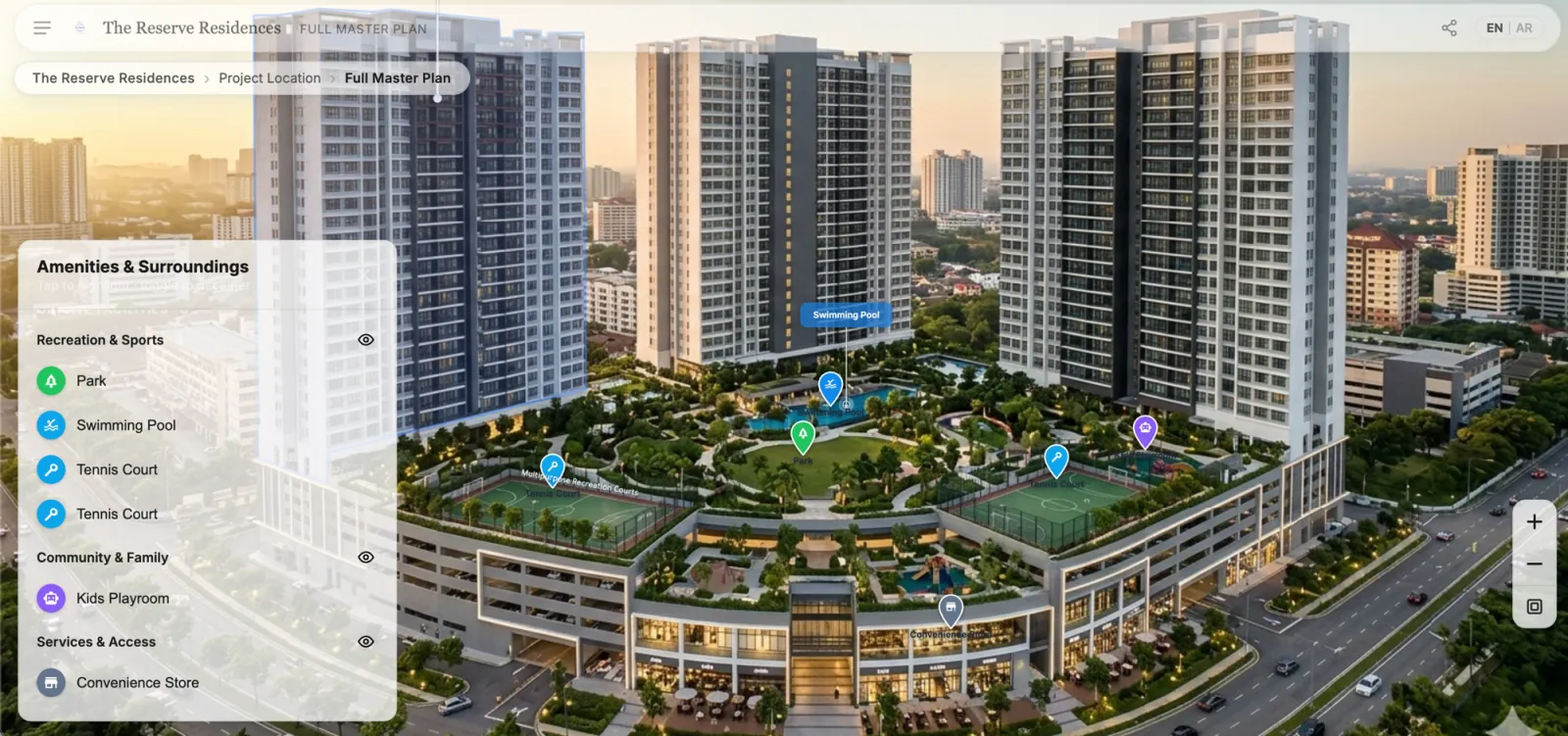
- 2
They choose the tower, zone, plot, or cluster that catches their attention.
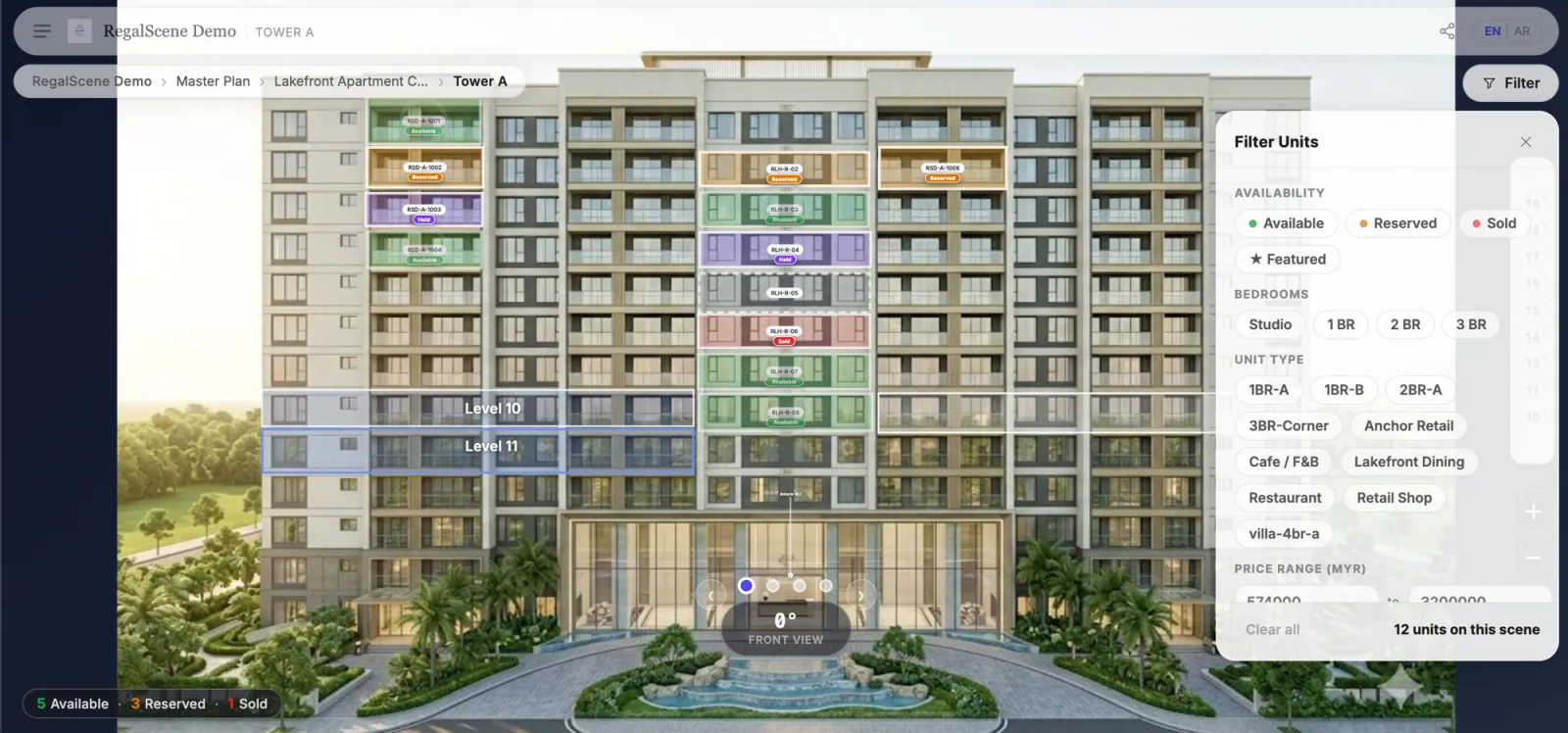
- 3
They move into the floor, layout, or asset view that matches their needs.
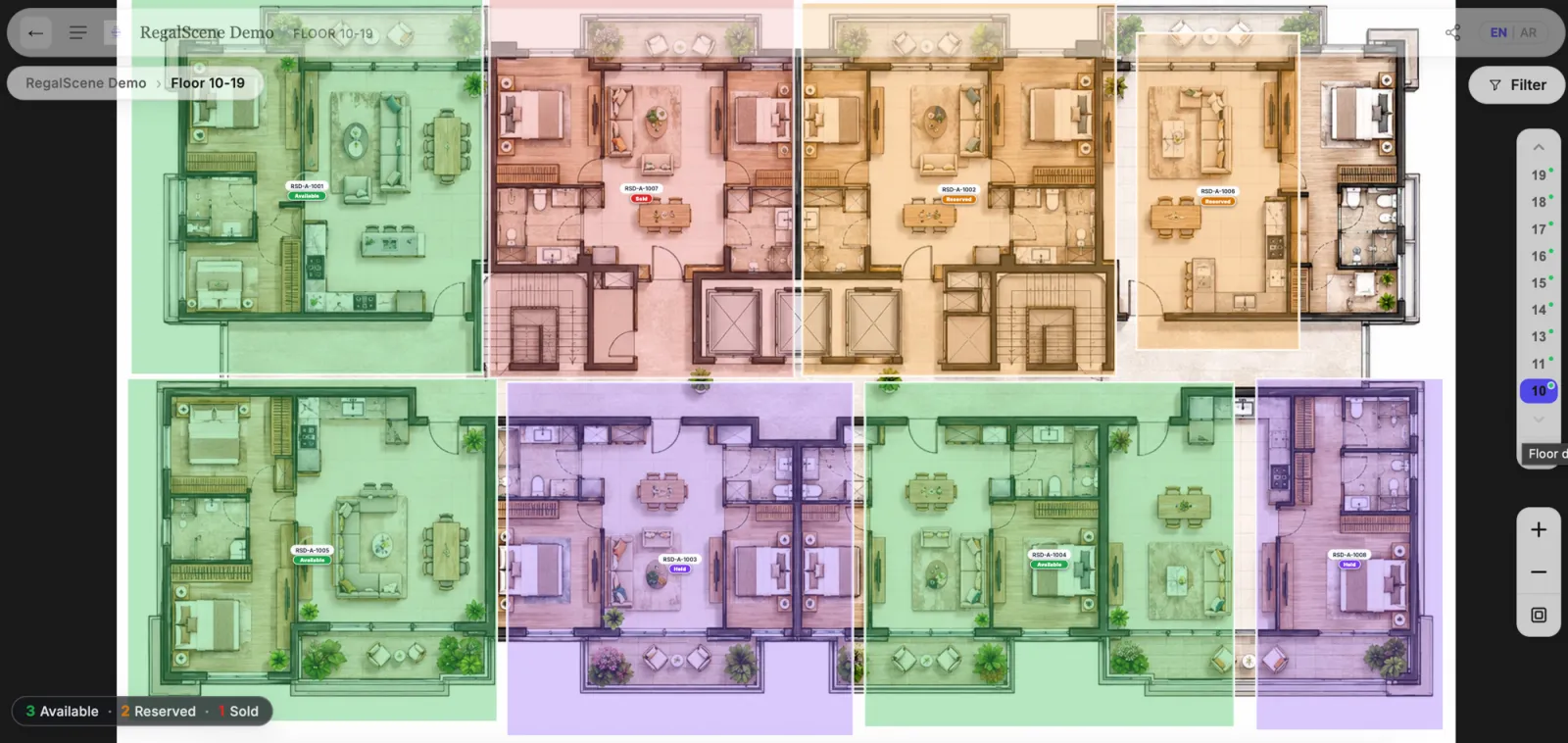
- 4
They land on a specific unit or asset with availability, size, facing, and enquiry options in context.
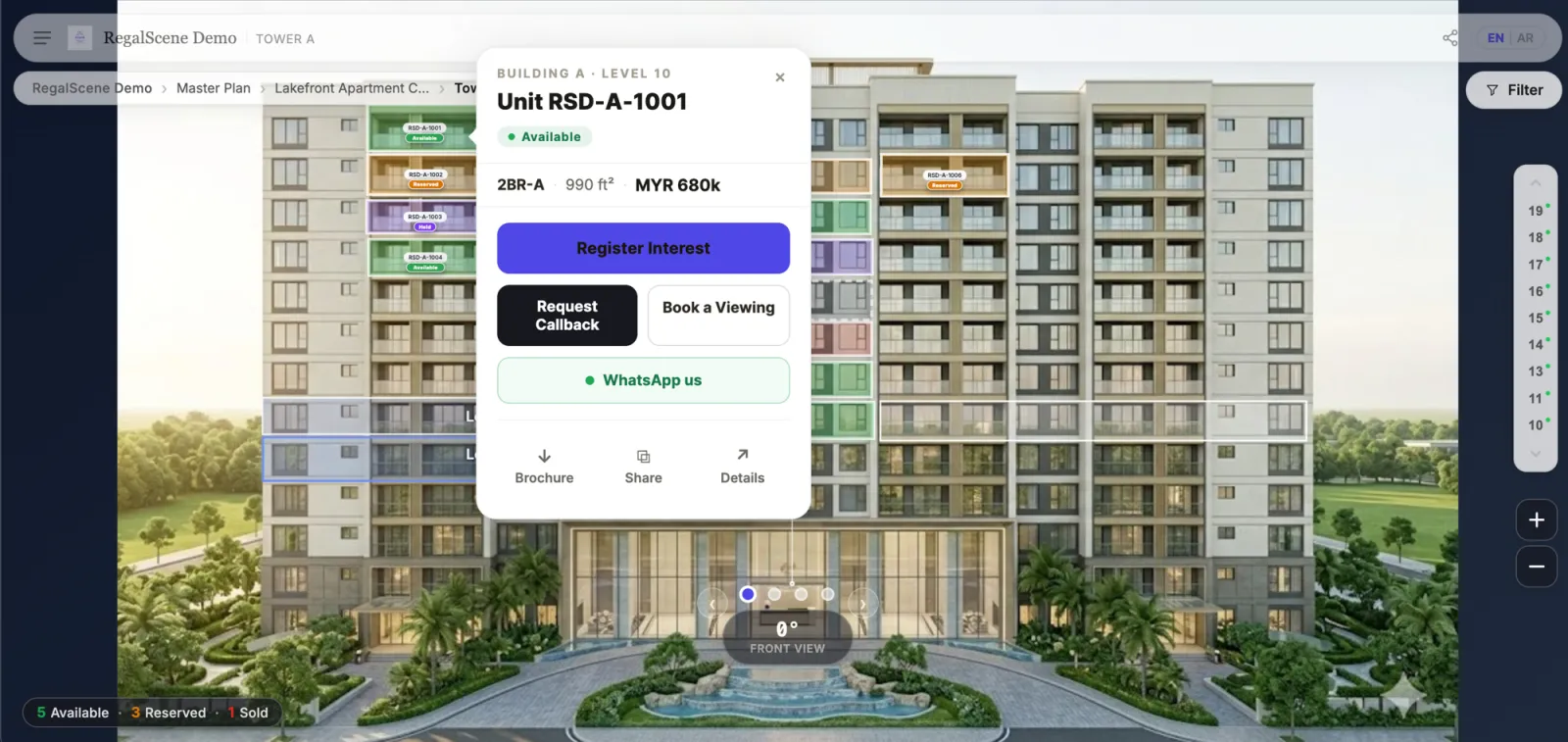
- 5
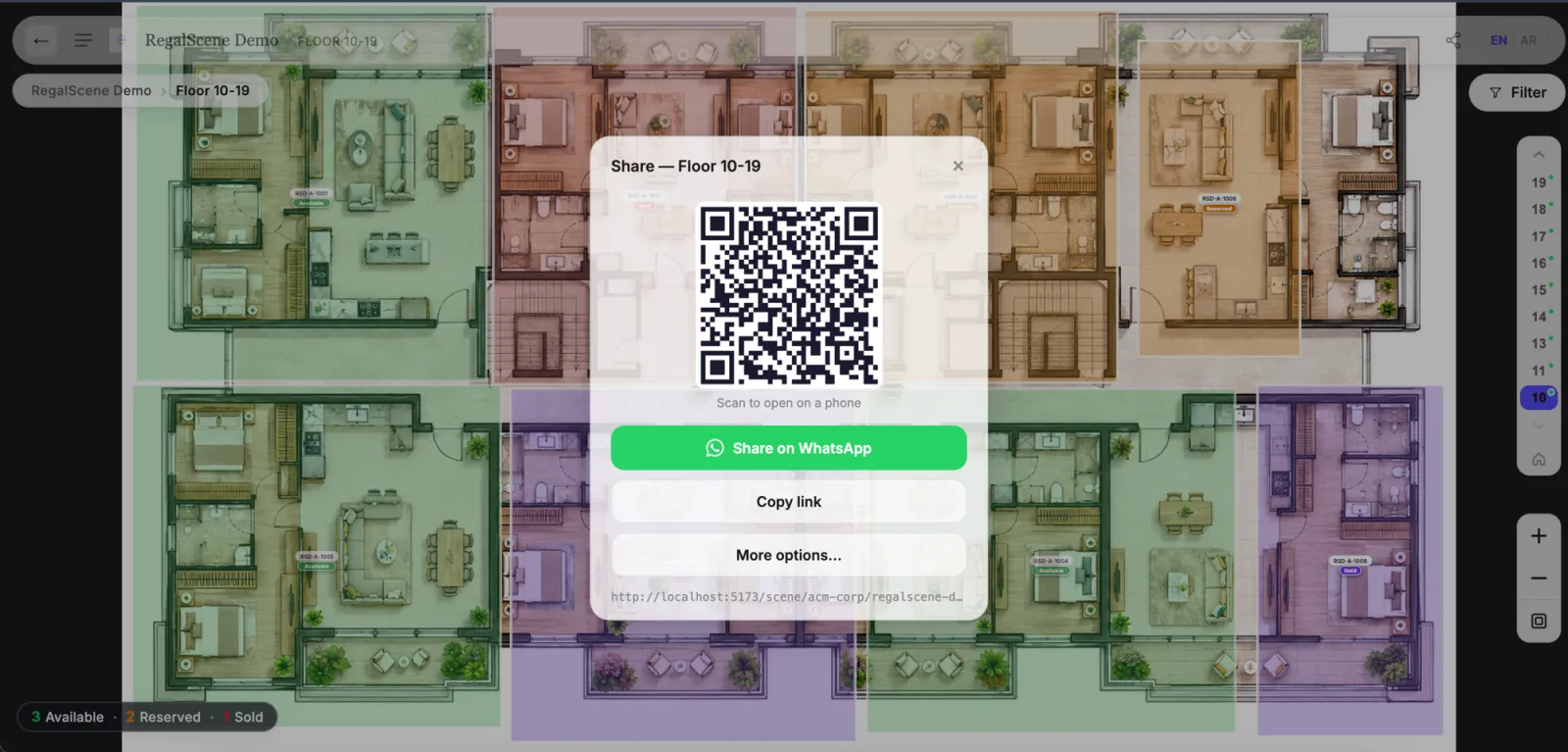
They tap WhatsApp, register interest, or request a viewing from the exact place they were exploring.
What Developers Get
A Buyer-Ready Experience Across Every Sales Channel
Scene Engine turns the same approved project story into something buyers can explore online, in person, at events, and through agencies.
Buyers Understand the Project Faster
The project stops feeling like a stack of PDFs. Buyers move through the development the way they think: whole place, area, building, floor, unit, enquiry.
One Truth Across Every Channel
Use the same current experience on the project website, sales gallery screens, roadshows, QR campaigns, and agency sites.
Faster Go to Market
We build your experience with you from the sales assets you already have, so the project can go live without waiting for a custom app or new microsite.
Live Availability
Every Screen Tells Today's Truth
Buyers and agencies should not be making decisions from last month's PDF. Availability, status, and enquiry actions belong inside the project experience itself, where the buyer is already exploring.
What you approve is exactly what buyers see — polished, complete, current, on launch day and every day after.
One digital sales center.
Website, showroom, roadshow, QR campaign, agency site — every channel presents the project with the same clarity.
Sales Intelligence
The Journey Does More Than Look Good
When buyers explore for themselves, every meaningful action becomes useful context for marketing, sales, and leadership.
Every Step Becomes a Demand Signal
See which zones, towers, floors, layouts, and campaign channels pull attention while buyers are still exploring.
Enquiries Arrive Warm
Sales can follow up knowing the project, floor, unit, source, and buyer journey behind the enquiry.
Agencies Sell From the Same Source
Give agencies a buyer-ready experience without losing control of content, availability, brand quality, or lead attribution.
Project Fit
The Journey Fits the Development
Scene Engine is built for projects where buyers need to understand place, context, availability, and asset detail before they can enquire with confidence.
Proof Points
Built to Be Used by Real Buyers, Not Just Shown in a Demo
A good interactive master plan has to survive launch day: mobile traffic, showroom use, QR scans, agency sharing, and buyers who return later with their family.
- A 3D-feeling exploration of the site plan — with no 3D models or game engines required.
- Razor-sharp at any zoom and fast on mobile.
- Availability appears where the buyer is looking, not in a separate table.
- WhatsApp, register-interest, and viewing requests attach to the exact unit or asset.
- The same experience supports websites, sales galleries, roadshows, QR campaigns, and agency distribution.
- You launch with a finished buyer journey, not an empty system your team has to figure out first.
Make Your Project Easy to Understand Online
We build your experience with you, using the sales assets you already have, so buyers can explore with confidence and your team receives enquiries with context.