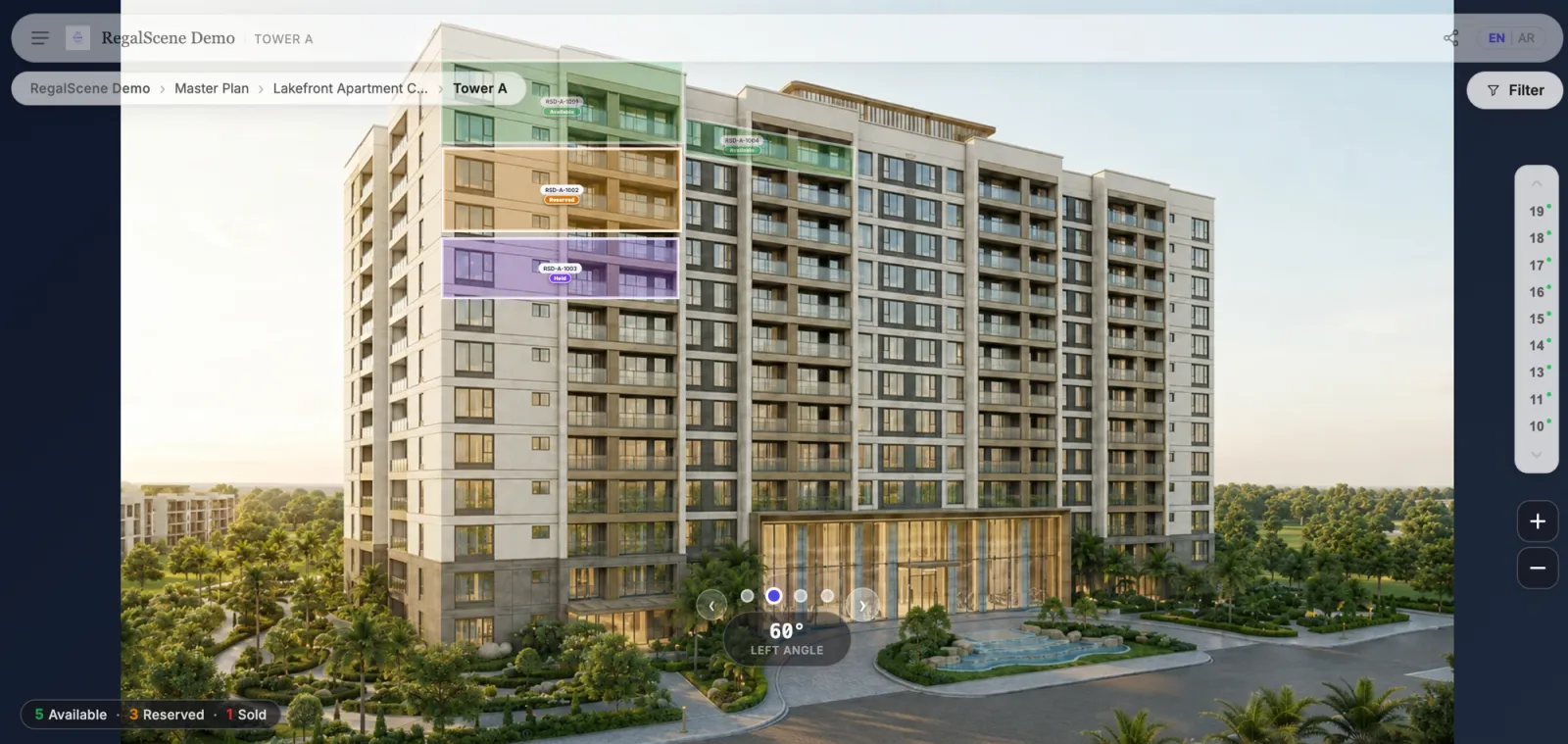
Developers comparing digital marketing options usually get quotes for three different things that sound similar: 360 virtual tours, 3D renders (CGI), and interactive master plans. They are not competing products — they answer different buyer questions at different stages. Choosing the wrong one for the job is how marketing budgets get wasted.
Here's the practical comparison.
What each one actually is
3D renders (CGI / architectural visualization)
Still images produced from a 3D model: aerial views of the master plan, building exteriors, interior views. Every developer already commissions these for brochures, hoardings, and portal listings.
- Buyer question answered: "What will it look like?"
- Format: static images (or short animation videos)
- Interactive: no
- Typical cost: per image or per animation, from hundreds to thousands of dollars each
360 virtual tours
Panoramic experiences the buyer can look around inside — either photographed (completed show units) or rendered (off-plan). Good tours chain viewpoints together into a walkthrough.
- Buyer question answered: "What does it feel like to stand inside?"
- Format: panoramas, walkthroughs
- Interactive: yes, within a space
- Typical cost: per unit or per viewpoint; photography is cheap, rendered panoramas cost more
Interactive master plans
The project's site plan turned into a navigable experience: buyers zoom across the development, click zones and buildings, drill down to floors and units, see current availability, and enquire in context. This is the layer that connects everything.
- Buyer question answered: "What is where, what's available, and which unit is mine?"
- Format: deep-zoom site plan with clickable zones, buildings, floors, units
- Interactive: yes, across the whole project
- Typical cost: platform subscription; usually reuses renders you already have
The comparison that matters: navigation vs immersion vs impression
| 3D Render | 360 Virtual Tour | Interactive Master Plan | |
|---|---|---|---|
| Job | First impression | Immersion in a space | Navigation and selection |
| Scope | One view | One unit or space | Entire development |
| Current availability | No | No | Yes |
| Lead capture with context | No | Rarely | Yes |
| Cost behavior | Per image | Per unit | Per project |
| Off-plan friendly | Yes | Yes (rendered) | Yes |
The pattern: renders create desire, tours create confidence, the master plan creates decisions. A buyer who has only seen renders knows the project is beautiful. A buyer who has walked a 360 tour knows the unit type suits them. A buyer who has explored the interactive master plan knows which unit they want — and that's the enquiry a sales team wants to receive.
When each is the wrong choice
- Renders alone for a large launch: buyers can't answer "what's available in my budget, facing the pool?" from a gallery of images — so they call, and the sales team spends its day doing manual navigation.
- 360 tours alone for a township: immersion without orientation. Buyers see a beautiful living room but can't place it in the development or check availability.
- An interactive master plan with poor renders: the navigation is only as persuasive as the imagery underneath it. Weak base renders undermine the experience.
The right answer for most launches: layer them
The strongest digital launches use all three, in a hierarchy:
- Interactive master plan as the front door — orientation, zones, availability
- Building and floor navigation to narrow down — tower, floor, unit
- 360 tours and renders at the unit level — immersion at the moment of shortlisting
- Contextual enquiry — the lead arrives knowing the buyer explored Tower B, floor 12, unit type C
Because the master plan layer reuses the renders and tours you were already commissioning, the incremental cost of connecting them is usually far smaller than producing any one of the asset types in the first place.
Related reading:
- Best Virtual Tour Software for Property Developers in 2026: How to Choose
- 3D Rendering for Real Estate Marketing: Make the Renders You Already Paid For Sell Units
- What Is an Interactive Master Plan?
- How Much Does a Virtual Sales Gallery Cost?
- Resort Map or 360 Tour: Which Sells Villas?
- 2D vs 3D for Property Sales: Choosing the Right Experience, Not the Most Expensive One
- Real Estate Technology Trends 2027: What to Prioritize
RegalScene connects your renders, 360 tours, floor plans, and current inventory into one interactive sales experience. Book a demo to see all three layers working together.