Why launch digitally?
A digital property launch extends your reach beyond the physical sales gallery. Buyers can explore the development from any device, anywhere in the world — before, during, and after the physical launch event. For developers targeting cross-border buyers or diaspora investors, a digital launch is essential.
Step 1: Prepare your visual assets
The foundation of a digital sales experience is the visual assets you already produce for marketing:
- Site plan render — high-resolution PNG or JPEG of the master plan layout
- Building images — exterior views, orientation views, or 360° panoramas
- Floor plan drawings — per-floor unit layouts, typically from your architect or design team
- SVG overlays (optional) — architectural drawings with unit boundaries for precise interactive zones
- Marketing imagery — lifestyle renders, amenity visuals, and project photography
Most of these assets exist in your marketing pipeline. The key is to collect them in high resolution (at least 4000px wide for site plans).
Step 2: Structure your view hierarchy
Before building the interactive experience, define the navigation structure:
- Site plan — the top-level entry point showing the full development
- Precincts or clusters — groups of buildings or zones within the master plan
- Buildings — individual tower, block, or villa cluster views
- Floors — per-level floor plans with unit layouts
- Units — individual unit detail with type, size, availability, and enquiry CTA
This hierarchy becomes the buyer's navigation path. Not every project needs all levels — a single tower might go directly from building view to floor to unit.
Step 3: Build the interactive experience
Using a visual editor (no code required):
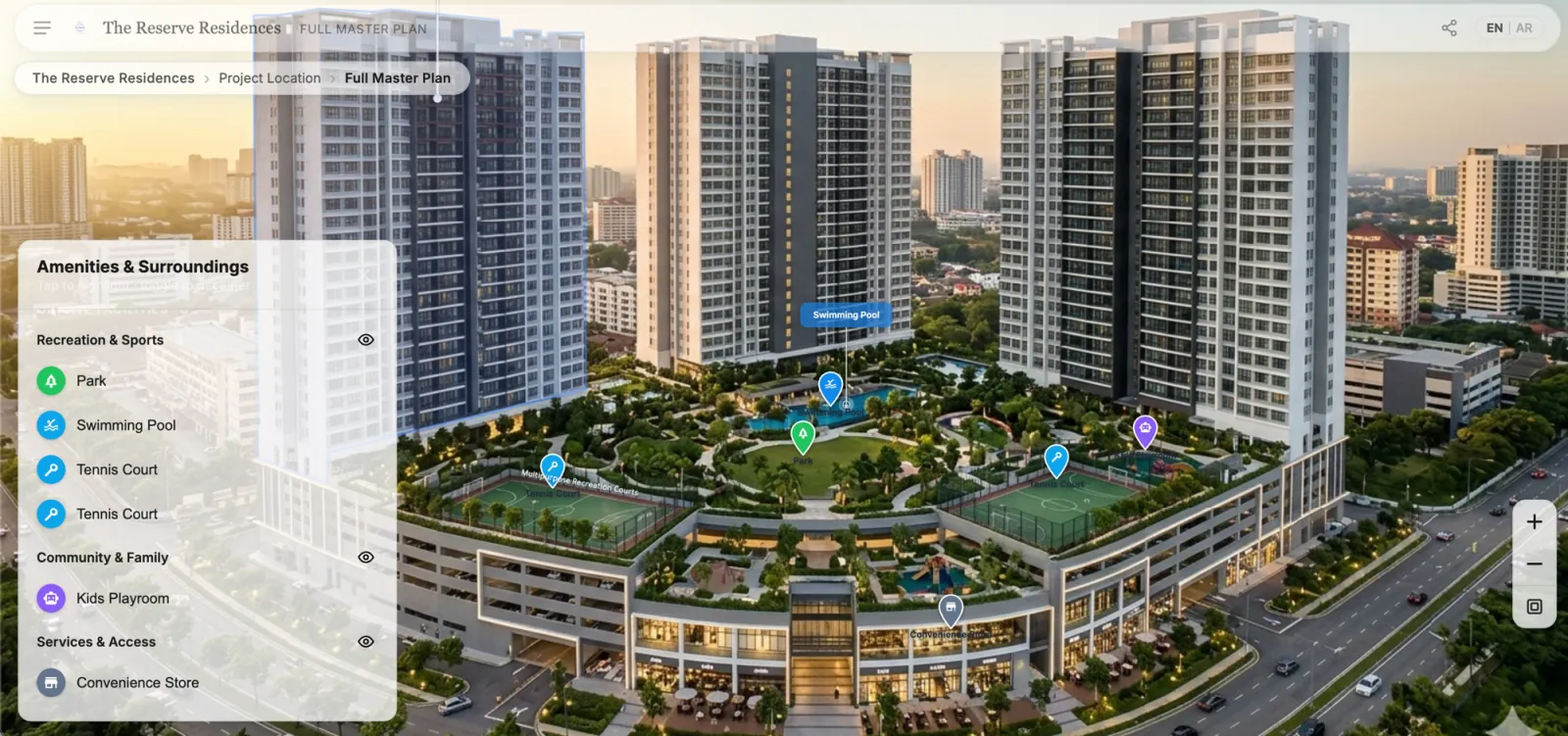
- Upload the site plan and configure it as a deep-zoom view
- Place hotspots on zones, buildings, and amenities
- Link views together — site plan hotspot → building view → floor plan → unit detail
- Import SVG overlays for unit boundaries on floor plans
- Configure CTAs — register interest, request callback, WhatsApp enquiry, download brochure
- Set unit availability — available, reserved, sold, coming soon
Step 4: Configure lead capture
Every interaction point is a potential lead capture moment:
- Unit-level enquiry — buyer clicks on a specific unit and submits interest
- Callback request — buyer requests a call while exploring a floor plan
- WhatsApp link — pre-filled message with the unit and building context
- Brochure download — gated behind a lightweight contact form
Each lead automatically includes the buyer's exploration context — which project, building, floor, and unit they were viewing.
Step 5: Publish and go live
Publish the experience as an immutable version:
- Embed on your website via iframe or direct link
- Share on social media and messaging apps (WhatsApp, WeChat, LINE)
- Use in email campaigns with direct deep links to specific buildings or units
- Display in physical sales gallery on touchscreens and kiosks
Live configuration — availability status, CTAs, feature flags — can be updated without republishing.
Step 6: Monitor and optimize
After launch, track buyer behavior:
- Which zones and buildings attract the most views
- Which floors and unit types generate the most interest
- Where buyers drop off in the navigation journey
- Which lead capture CTAs convert best
- Which marketing channels drive the most engaged visitors
Use these insights to adjust pricing, release strategy, and campaign targeting.
Timeline
A typical digital launch can be ready in days, not months:
| Phase | Duration | What happens |
|---|---|---|
| Asset collection | 1-3 days | Gather site plan, floor plans, building images |
| View building | 1-2 days | Upload, configure hotspots, link views |
| Review and publish | 1 day | Internal review, go live |
| Lead monitoring | Ongoing | Track engagement and follow up |
The bottleneck is usually asset collection, not platform setup.
Getting started
The starting point is what you already have: visual assets from your marketing and design teams. A digital sales center platform turns these into interactive buyer experiences — without 3D models, custom development, or months of setup.
Related reading:
- Selling Off-Plan Property Digitally: Reducing Buyer Uncertainty
- 3D Rendering for Real Estate Marketing: Make the Renders You Already Paid For Sell Units
- What Is a Digital Sales Center for Real Estate?
- Digital Property Sales in Southeast Asia
- Interactive Master Plans for Property Launches
RegalScene helps developers launch interactive digital sales experiences. See the platform or book a demo.