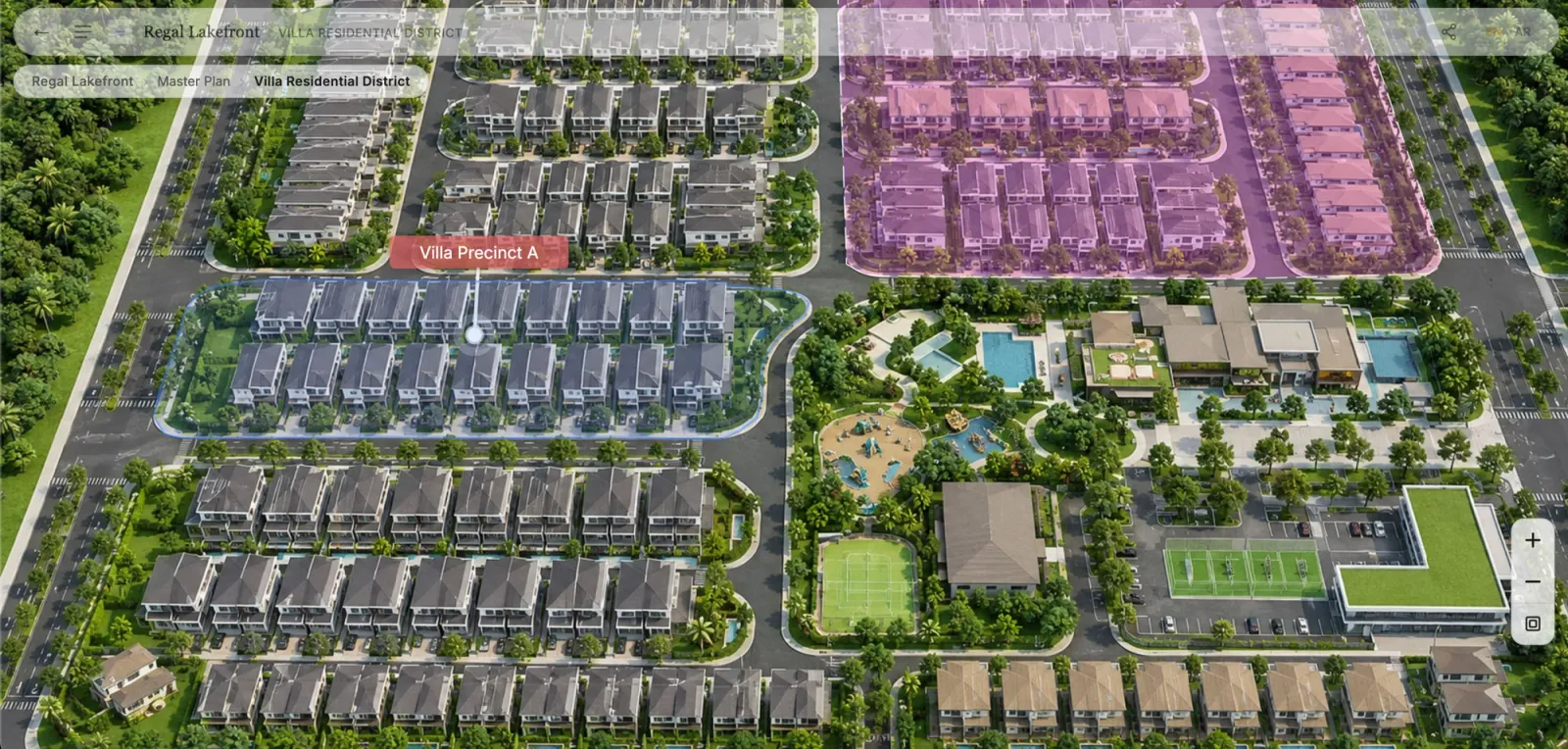
Search for tools in this space and you'll meet at least four names for what looks like the same thing: interactive site plan, interactive master plan, interactive property map, interactive project map. Sometimes they're synonyms. Sometimes they're genuinely different documents with different jobs. If you're a developer specifying what you need — or comparing vendor quotes that each use a different word — the distinction is worth five minutes.
The terms, precisely
Site plan. The most specific of the three. A site plan shows a single site — one building or a small group of them — with its footprint, access, parking, landscaping, and setbacks. It's originally a technical/planning document; in marketing use, it's the "bird's-eye view of this building and its immediate surroundings."
Master plan. The development-scale document. A master plan lays out an entire project — zones, phases, multiple buildings, road networks, amenities, open space — and how they relate. Townships, mixed-use districts, and resort developments are master-planned; a single tower usually isn't.
Property map. The loosest and most buyer-facing term. It isn't a planning document at all — it's whatever navigable representation helps a buyer understand "what is where, and what can I get?" A property map might cover a master-planned township, a residential complex, a business park, or a leasing floor. If a buyer touches it, it's a map; nobody buying an apartment asks for the master plan document.
Project map / development map. Regional synonyms for property map, common in Southeast Asia and the Gulf. Treat them as the same thing.
Why the interactive versions converge
On paper, these are three different documents. The moment you make them interactive, they converge into one tool — because interactivity isn't about the drawing, it's about the journey:
- A buyer on an interactive master plan clicks a zone… and lands on what is effectively an interactive site plan of that precinct.
- They click a building… and they're navigating floors and units.
- The whole connected experience — top level to unit level — is what "interactive property map" describes.
So the real question isn't which term to buy. It's how many levels your project needs:
| Your project | What you actually need |
|---|---|
| Single tower or small complex | Site-plan level entry + building/floor/unit navigation |
| Multi-building development | Master-plan entry + the full hierarchy below it |
| Township / mixed-use / phased | Master plan with zones, plus per-phase publishing |
| Business park, logistics, resort | Same tool — different vocabulary and unit types |
One warning from evaluating vendors: a tool that only does the top level — a clickable master plan image with information popups — carries the same name as a tool that navigates all the way to current unit availability. The name won't tell you which one you're buying; the feature checklist will.
Which term should you use?
For internal specs and vendor briefs: describe levels, not labels. "Buyers enter at the development level, navigate zones → buildings → floors → units, with current availability" is unambiguous; "we need an interactive master plan" is not.
For marketing to buyers: "explore the project" beats all of these terms. Buyers don't search for master plans; they interact with whatever you put in front of them.
For understanding what vendors mean: rendering studios tend to say master plan application (they sell the visual), portals say property map (they aggregate listings), and platforms describe the journey. When in doubt, ask the one-line test question: what does a buyer see the moment after a unit sells?
For an apartment community: the interactive site plan is the natural fit. See interactive site plan software for multifamily developments.
The assets are the same regardless
Whichever term wins your brief, the inputs don't change: the aerial render or site plan drawing you already have, boundary shapes for zones and buildings, and your unit inventory. That's the quiet good news — the choice of words doesn't change the budget, because the renders you've already paid for are the foundation in every case.
Related reading:
- Interactive Property Map for Real Estate Developers: The Complete Guide
- What Is an Interactive Master Plan?
- Interactive Master Plan Features: A Developer's Checklist
- Interactive Floor Plan Software: What Real Estate Developers Should Look For
RegalScene handles every level of the journey — site plan, master plan, or property map — as connected views with current availability and contextual leads. Book a demo.