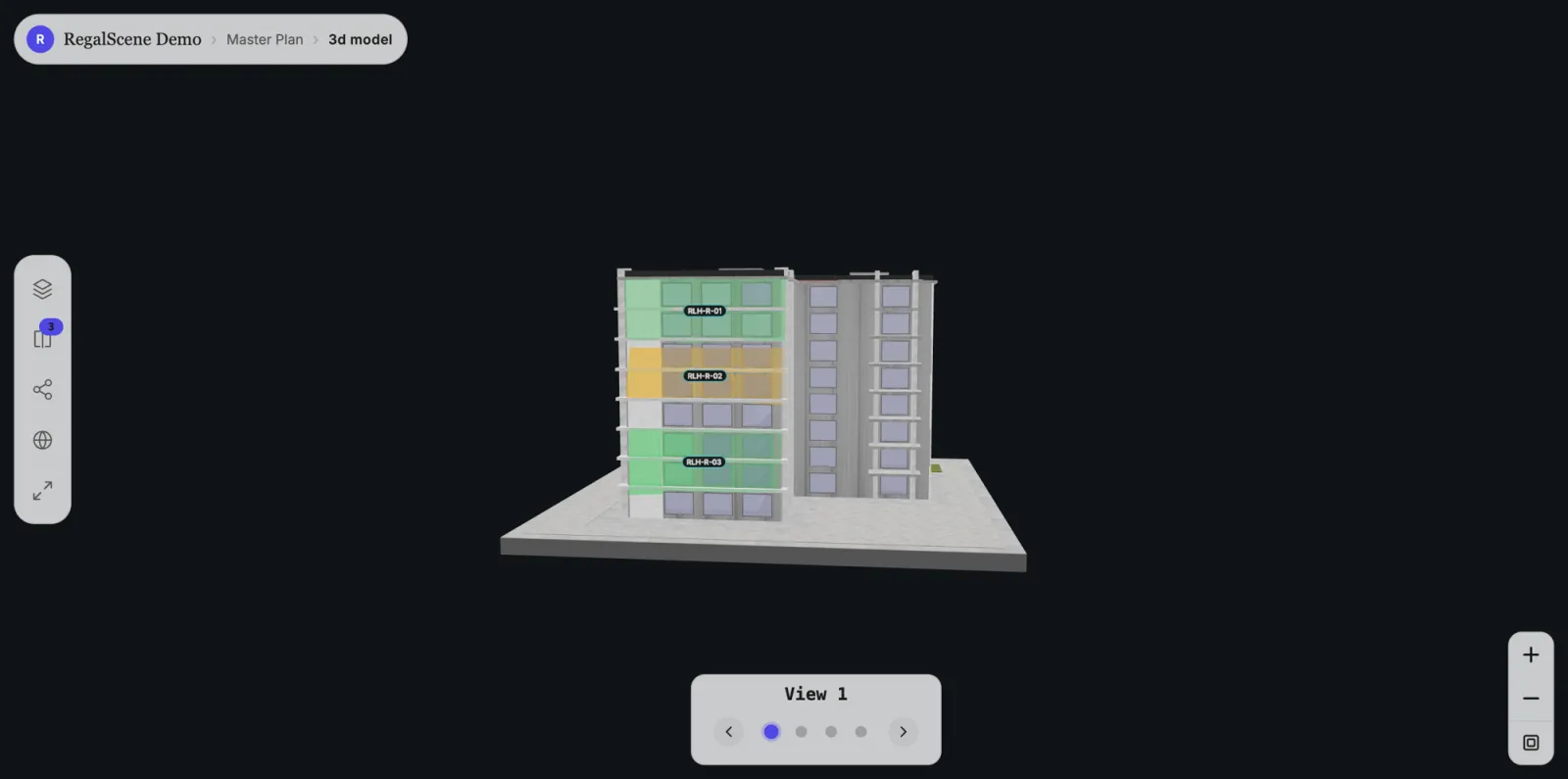
A 3D model of a development usually reaches a buyer as a fly-through video or a spinning showreel. It looks impressive in a presentation, and then the buyer watches it, and there is nothing to do next. They cannot tell which units are still available, cannot check a price, cannot enquire. The model is a film, not a place they can act inside.
RegalScene changes what the 3D model is for. The same model your team already produced becomes something a buyer explores and buys from, where every unit on it is live, tappable, and connected to availability and an enquiry.
A 3D model should be somewhere a buyer can act, not a video they watch.
What a buyer actually explores
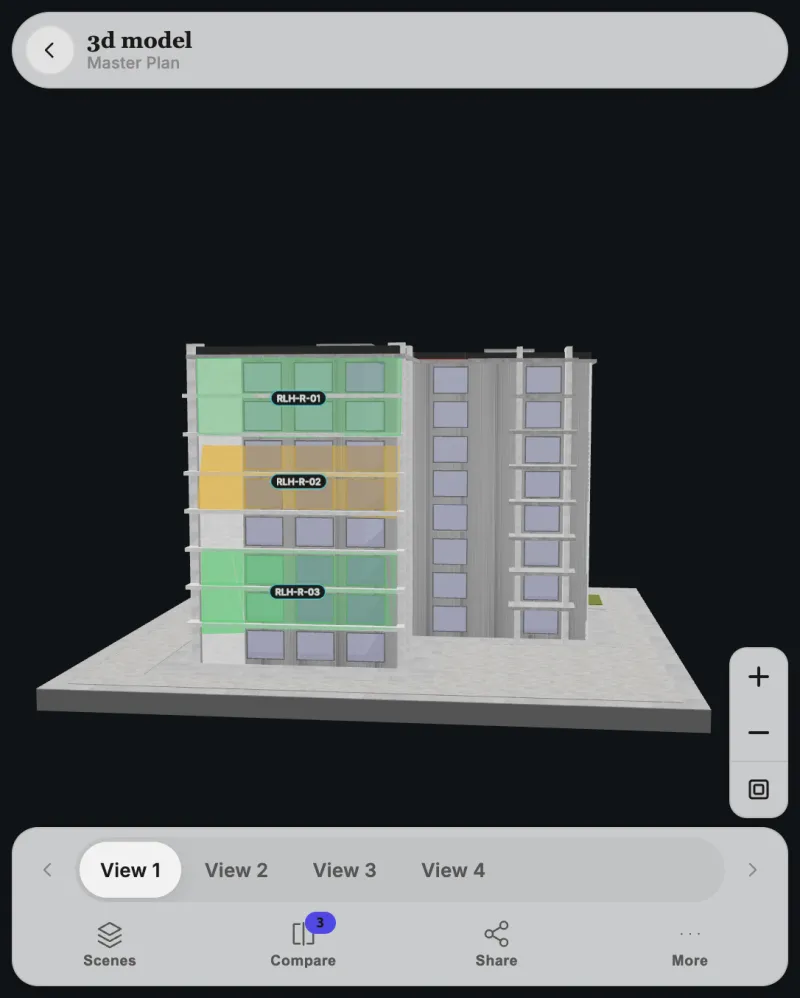
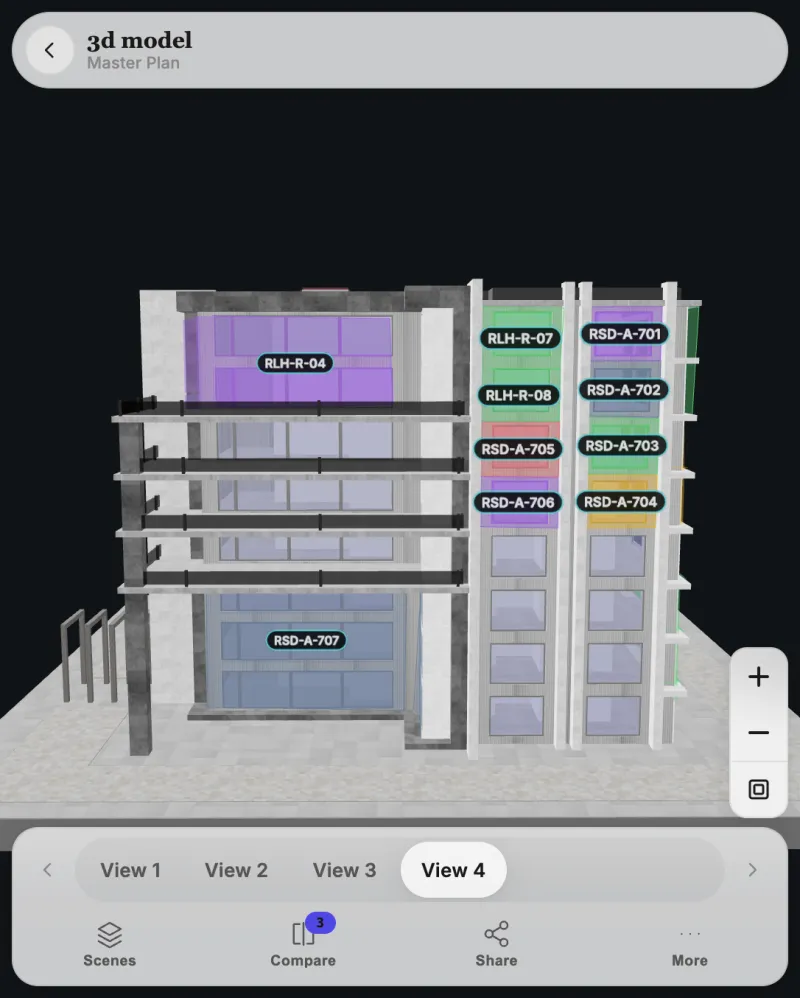
Open a 3D view and a buyer is not handed a controller and left to work it out. They rotate the building, move through a set of saved views that frame the angles that matter, and read the units directly on the facade. Availability shows in color, floor by floor: available, reserved, and sold are obvious at a glance.
Tapping a unit opens its details, its price under your display policy, and the way to enquire, in the same panel used everywhere else in the experience. The buyer is exploring a building, not learning software.
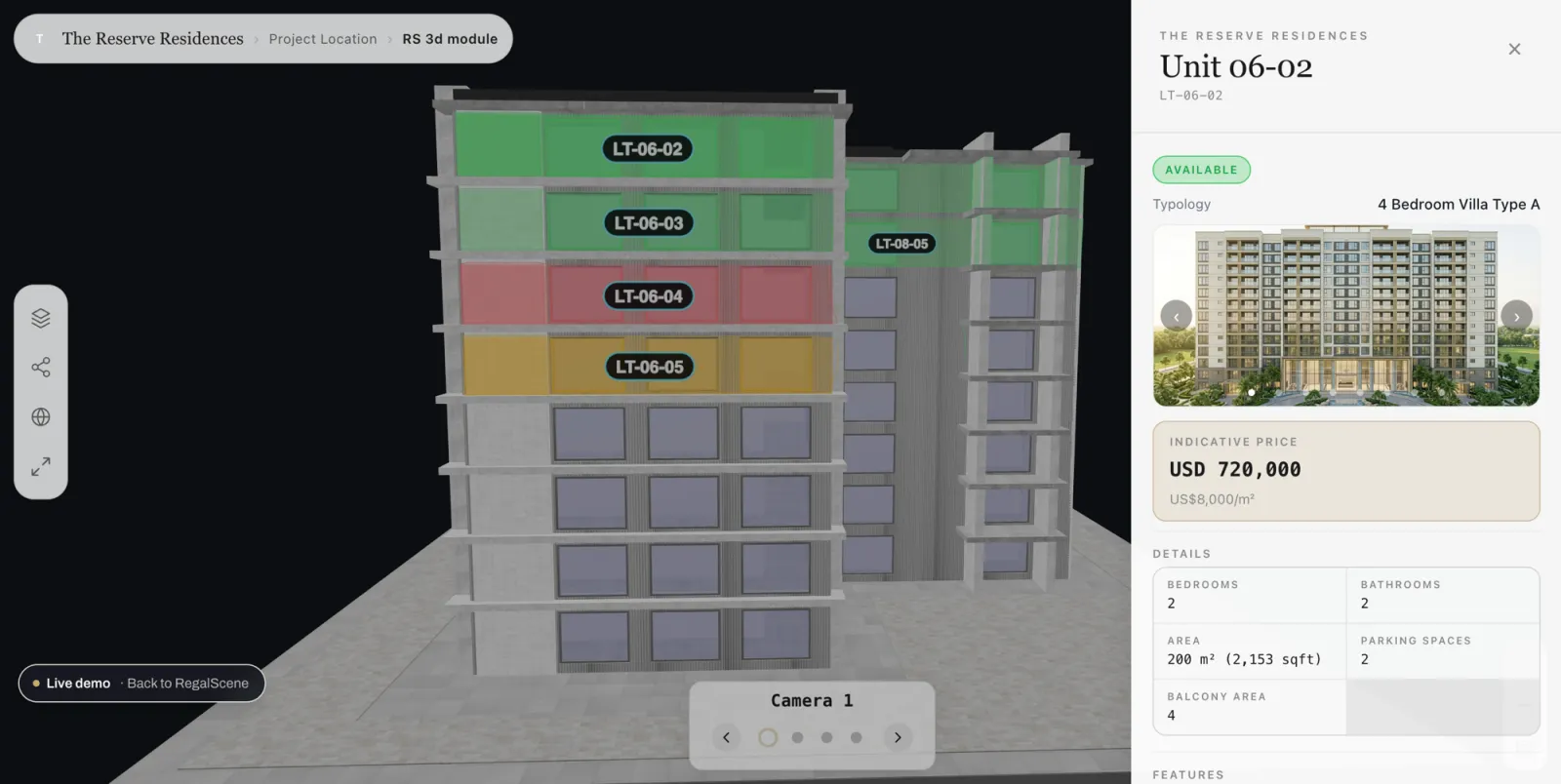
The buyer reads availability off the model and acts on it, without instruction.
Every unit is linked, not just rendered
The difference between this and a 3D animation is what sits behind each surface. In RegalScene, every unit drawn on the model is linked to your inventory. The green, amber, and red a buyer sees are not painted into the render. They are current status, drawn from the unit information your team maintains, so a sold unit reads as sold the moment your team updates it, with no re-rendering and no new video to commission.
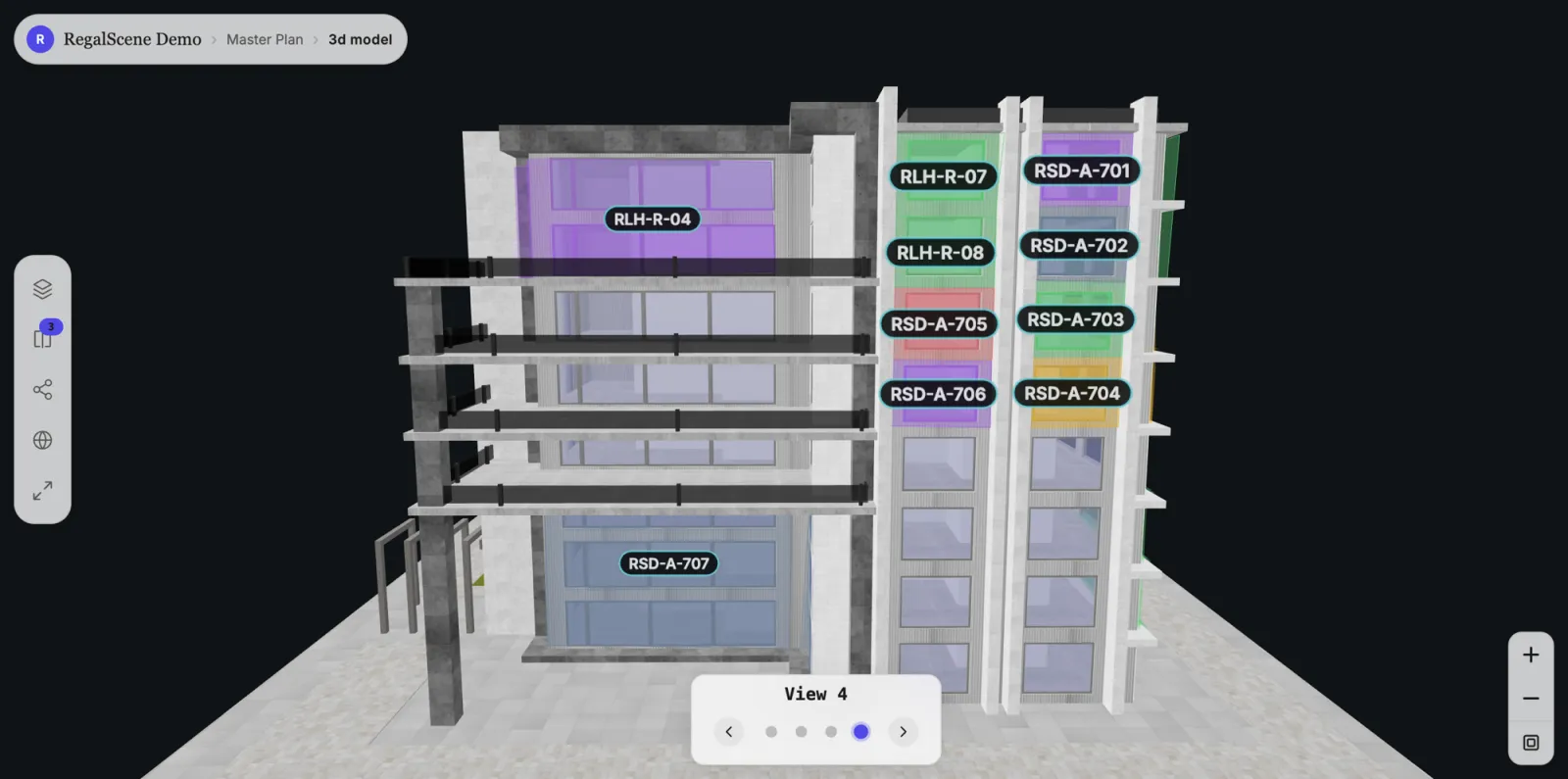
That is the line between a marketing asset and a sales surface. A render shows the building. An interactive 3D model shows the building and tells the buyer what is for sale, what is left, and how to ask about it.
The colors on the model are current inventory, not paint on a render.
The same sales experience, whichever view is drawing
This is the part that matters most and the part that is easy to miss. Whether a buyer is on a 2D master plan, a floor plan, or the 3D building, the unit panel, the details, the price, the enquiry form, and the compare and share actions behave the same way. The 3D model is a way of drawing the project on top of the same sales system that runs the rest of the journey.
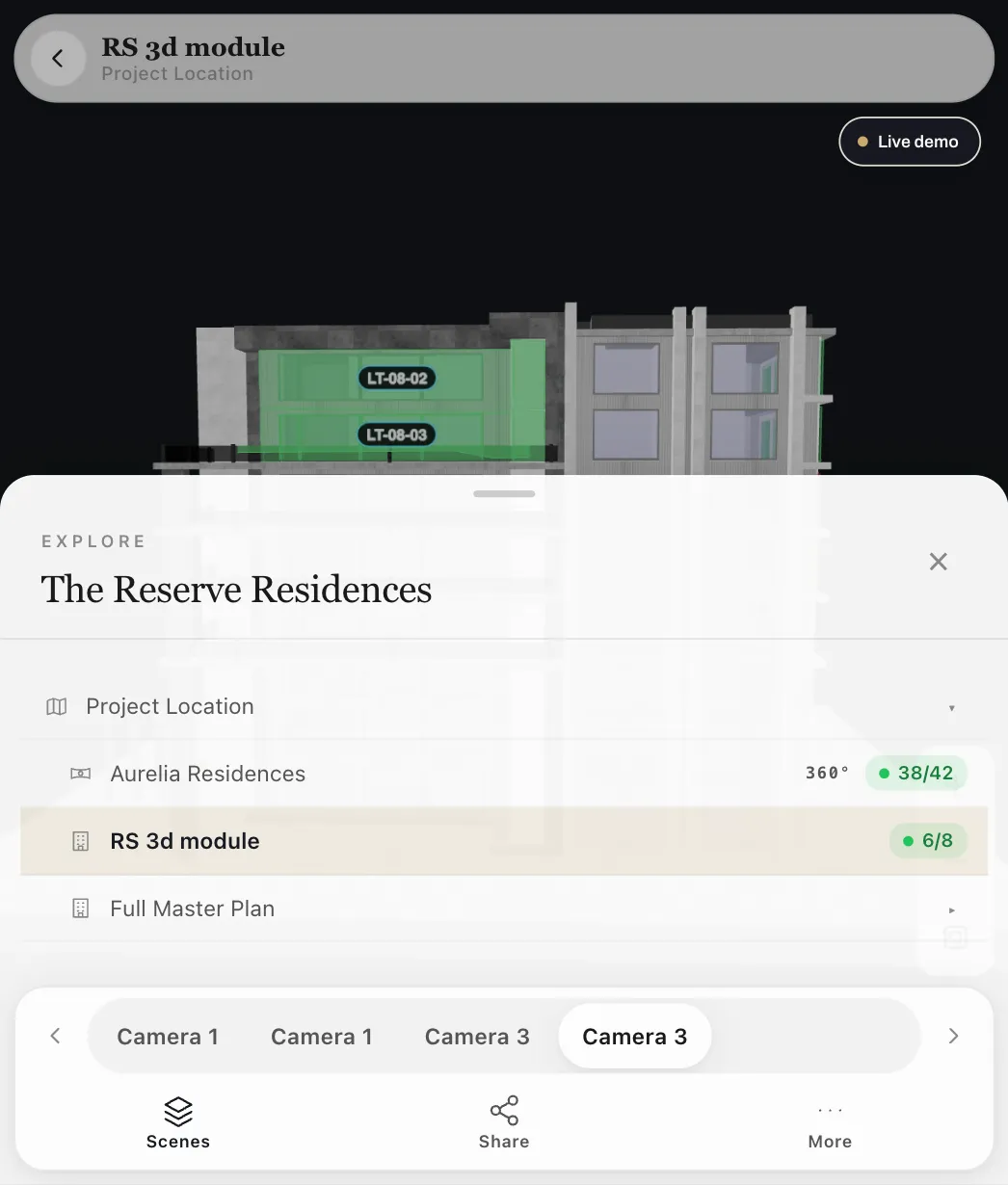
That has a practical consequence. You are not buying a separate 3D product with its own rules, its own leads, and its own place for a buyer to get stuck. A unit enquired from the 3D building arrives the same way as one enquired from the 2D map, in the same place, with the same context attached to the lead.
3D is another view of one sales system, not a second product bolted on the side.
Bring the 3D model you already have
Most developers commissioning a project already have a 3D model, produced by their architect or visualization team. RegalScene works from that. You bring the model you own, and it is built into your experience with each unit linked, rather than rebuilt from scratch inside a heavy engine.
It then joins the 2D assets you already use. The master plan, the floor plans, and the renders sit alongside the 3D building as different views of the same project, which is the same asset-reuse principle behind interactive 2D. 3D raises the ceiling of what the experience can do. It does not replace the lighter views that carry most of the navigation.
Use the 3D model you already commissioned, alongside the 2D you already use.
Light enough for the phone in a buyer's hand
An interactive 3D model still has to reach a buyer where they actually are, which is a phone, on mobile data, from a link in a message. RegalScene keeps that true. The experience opens in a normal browser from a single link, with no app to install and nothing to download first.
The 3D building is one step in the journey a buyer opens when they reach it, not the entire experience delivered as one heavy load. The navigation around it stays light, which is the same reason large master plans stay fast in a browser. This is lightweight, web-native 3D, not the heavy engine approach that asks a buyer to download a world before they see anything.
If the 3D model does not open on a phone from a link, it is built for the wrong buyer.
2D and 3D, chosen by purpose
Not every step of a buyer journey needs 3D, and forcing it everywhere slows the experience down for no gain. The stronger approach mixes the two by what each does best. A 2D portfolio map or master plan carries navigation across projects and down to a site, fast and familiar on any device. The 3D building appears where seeing the massing, the floors, and how units stack genuinely helps a decision. The wider case for choosing 2D or 3D by purpose and the lightweight 2D and 3D journey both go deeper on where each earns its place.
For a development with several buildings or a township, a buyer can move from a portfolio map across projects, into a master plan, into a 3D building, down to a floor and a unit, following the same map, building, floor, and unit structure throughout.
The right view at each step, rather than 3D for the sake of 3D.
From exploring to enquiry
For the developer, the value of an interactive 3D model is read on the enquiry, not the frame rate. Because each unit is linked, an enquiry sent from the 3D building carries its context: which project, which building, which unit, and what the buyer looked at on the way. The sales team receives a lead that already knows what it is about, not an anonymous form fill.
And because availability is the inventory your team maintains in the platform, the model reflects reality as your team updates status, without republishing the view or rebuilding the model. The buyer explores; the developer gets a warm, specific enquiry and a project that stays current.
The point of the 3D model is the enquiry it produces, not the animation it plays.
See your 3D model made interactive
The fastest way to judge this is on a building you already know. Bring your 3D model and a unit schedule, and watch a buyer move from rotating the building to tapping a unit to sending an enquiry, in a browser, on a phone.
Related reading:
- A Lightweight 2D and 3D Property Buying Journey
- 2D vs 3D for Property Sales: Choosing the Right Experience, Not the Most Expensive One
- RegalScene vs Heavy 3D Engines: Web-Native or Unreal for Property Sales
- Map, Building, Floor and Unit Views: How to Present a Project Online
- One Master Plan, Many Projects: The Developer Portfolio Map
RegalScene turns the master plans, floor plans, renders, and 3D models developers already have into one interactive sales experience, from portfolio map to unit, in any browser. See the platform or book a demo.