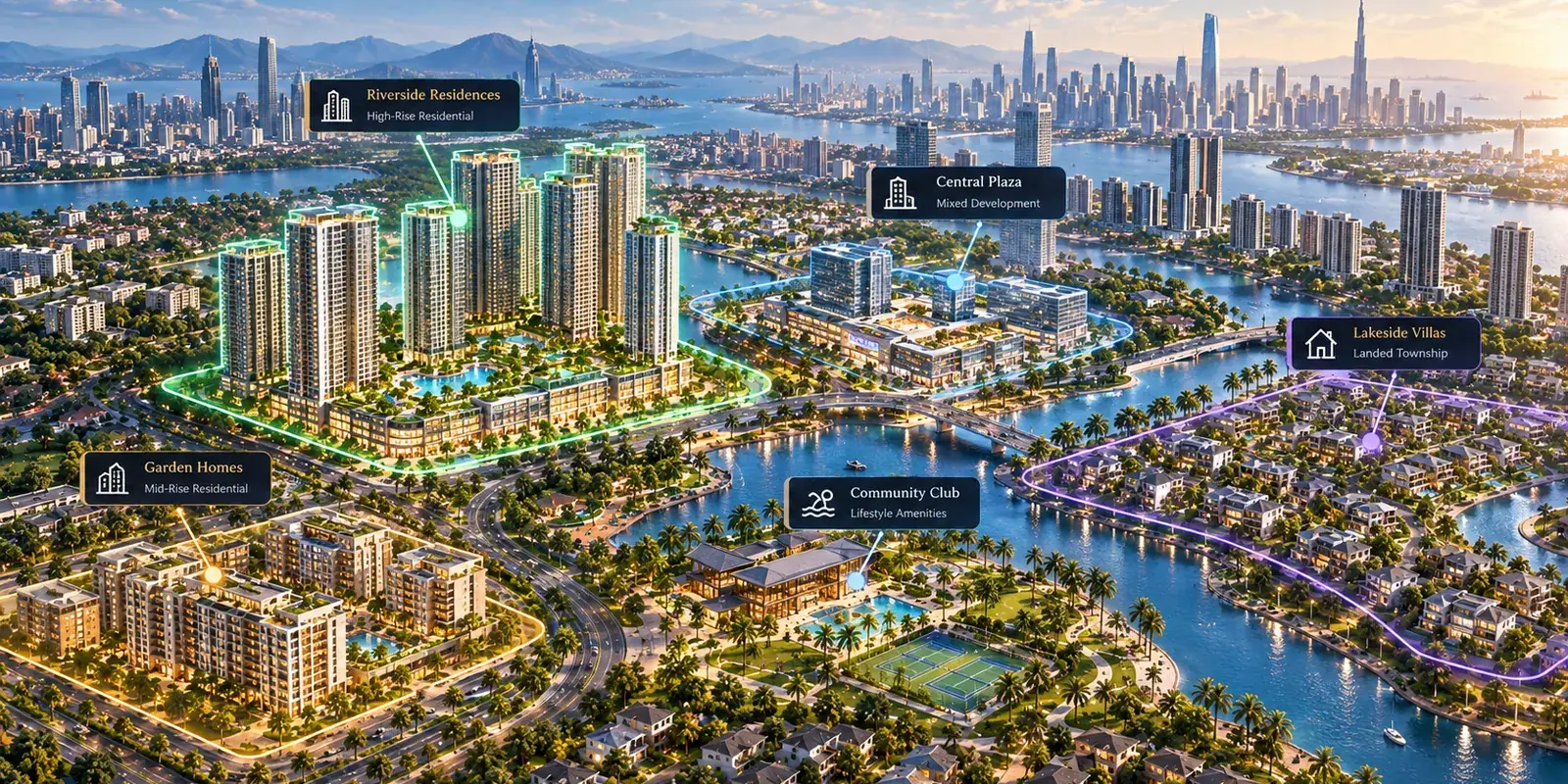
Interactive masterplan software comes in four types: real-time 3D masterplans, masterplan overlays on a map, 360 tours and flythroughs, and sales platforms that connect the masterplan to inventory and leads. They share a name and a demo moment, a buyer clicking on a building, but they are built for different jobs. Comparing a 3D studio's product with a sales platform feature by feature misses that.
This piece explains each type, with examples from vendors' own websites, then compares them side by side. For the decision process itself, start with how to choose interactive masterplan software.
1. Real-time 3D masterplans
What it is: a 3D model of the whole development that buyers rotate, zoom and fly through, usually built on a game engine or WebGL.
Examples, as described on their own sites (October 2026): VisEngine offers rotatable 3D views, 360 VR tours and day and night modes across web, desktop, mobile apps, kiosks and touchscreens, and says it connects to CRM platforms such as Salesforce and HubSpot. Virtuelle defines an interactive masterplan as a real-time 3D representation of a development at community scale, used as the centerpiece at launch events and sales galleries. R2U describes a 3D model buyers can rotate, click into and customize with different finishes, shared by a browser link.
Where it shines: the gallery centerpiece, flagship launches, and projects where the architecture and the setting are the main story.
Where to check carefully: a 3D model has to be built and kept in step with the project, so ask who updates it when a phase changes and what each change costs.
2. Masterplan overlays on a map
What it is: the masterplan artwork placed on an interactive map, with lots or units clickable and their status shown.
Example: Property Prosper overlays masterplan artwork on an interactive map and pulls lot availability from the developer's CRM, with a quick enquiry form.
Where it shines: land and lot sales, where position on the map is most of the decision.
Where to check carefully: how far the journey goes. A map of lots is strong for land; for towers, buyers also need the building and the floor.
3. 360 tours and rendered flythroughs
What it is: panoramas and video of finished spaces or rendered scenes, viewed in sequence.
Where it shines: show units and interiors, where the buyer wants to stand in the room.
Where to check carefully: a tour shows a space; it does not show which units are available or capture an enquiry about one. It works best inside a larger journey. This comparison goes into tours, renders and masterplans in more detail.
4. Sales platforms
What it is: software that builds the buyer journey from the assets you have (masterplan, building views, floor plans, 360 and 3D) and runs your live inventory, enquiries and sales channels underneath it.
Example: RegalScene. Buyers go from the masterplan to a project, a tower and a unit with live availability and enquire from the unit; the developer's team receives a lead with the unit, the source and the buyer's steps from that visit; agencies and salespeople get their own links; developers with many projects can put them all on one Google Maps portfolio.
Where it shines: selling units online, through a sales team and several agencies, over a project's whole life.
Where to check carefully: visual ambition. A sales platform uses your renders rather than producing a cinematic world. RegalScene, for example, does not offer VR walkthroughs, live finish customization or a direct CRM connector today.
Side by side
| Real-time 3D | Map overlay | 360 tours | Sales platform | |
|---|---|---|---|---|
| Main job | Visual centerpiece | Lot and land sales | Show units, interiors | Selling units, running the sale |
| What you supply | A 3D model | Masterplan artwork | Photography or renders | Existing renders, plans, unit list |
| Journey to the unit | Varies by product | To the lot | One space at a time | Masterplan → building → floor → unit |
| Live availability | Some, via CRM or spreadsheet | Some, via CRM | Rarely | Yes, from the developer's inventory |
| What the sales team receives | Varies; some connect to a CRM | Enquiry form | Usually nothing | Lead with unit, source and the buyer's steps |
| Agencies and salespeople | Varies | Varies | No | Own links, own leads, credit per person |
| Updating after launch | Often by the vendor | By the developer or CRM | New capture needed | By the developer's team |
| Best fit | Flagship launches, galleries | Land, lots, subdivisions | Show units, completed homes | Developers selling online and through agencies |
Treat the table as a starting point: products within a type differ, so confirm each row with the vendor using the questions in the buying guide.
The types are not rivals so much as layers: many developers pair a 3D centerpiece in the gallery with a sales platform that buyers and agencies use every day.
Which type fits your project
- A flagship launch where the setting sells the project: a real-time 3D masterplan for the gallery, connected to a sales platform for everything after the visit.
- A land subdivision or plotted development: a map overlay or a sales platform with plot-level availability.
- A tower or mixed-use project sold through agencies: a sales platform, with 360 or 3D for the hero views.
- Several projects across a city or country: a sales platform with a portfolio map, so buyers have one entry point.
For the features to check within whichever type you choose, use the interactive masterplan feature checklist.
Related reading:
- How to Choose Interactive Masterplan Software (2026)
- Interactive Masterplan Features: A Developer's Checklist
- Virtual Tour vs 3D Render vs Interactive Master Plan
- 2D vs 3D for Property Sales
Vendor descriptions are summarised from each company's public product pages as of October 2026; check current details with the vendor. RegalScene is a sales platform: masterplan to unit, live availability, and leads with the buyer's journey. See the platform, open the live showcase or discuss your project.